Pop-ups outside apps
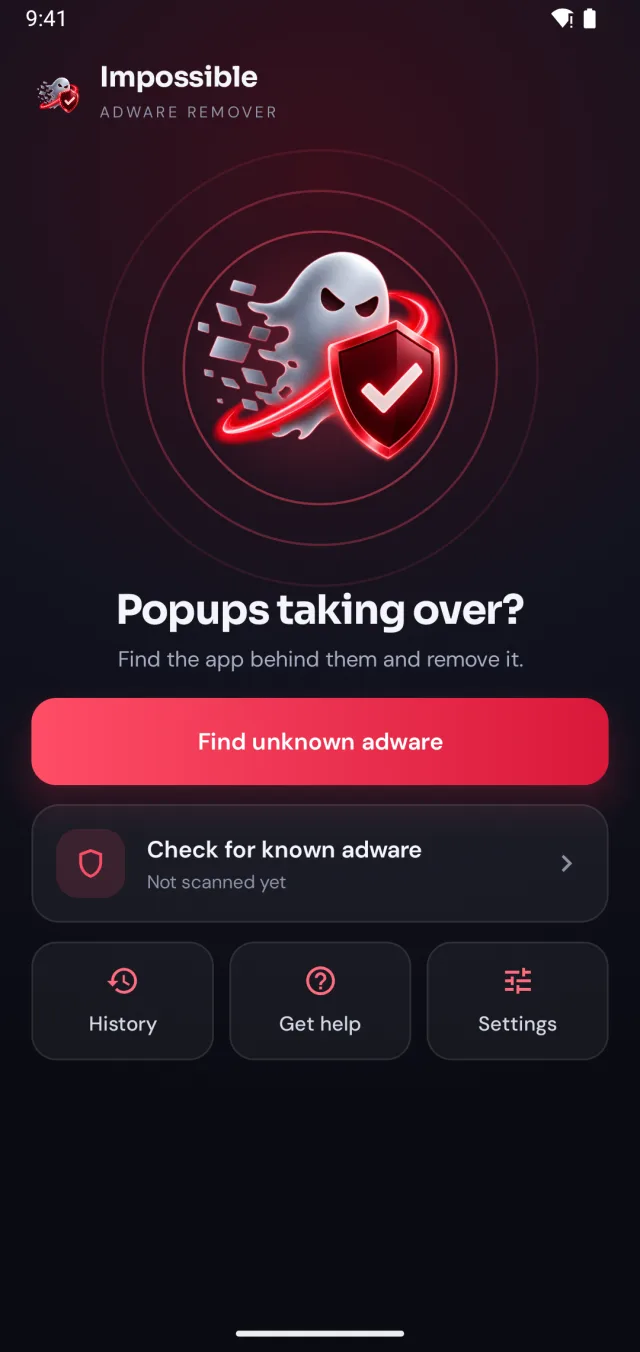
Full-screen ads on the home screen or when you unlock. The most common sign by far, and the clearest: an installed app is drawing them.
 ImpossibleAdware remover
Get the app
ImpossibleAdware remover
Get the app
Virus on an Android phone
Pop-ups everywhere, apps you never installed, a battery that drains overnight. On Android, the “virus” behind it is almost always an app you can find and remove. Here’s how to check your phone and get rid of it.
Free to find · €4.99 to reveal & remove · no subscription
Short answer
On Android, a phone “virus” is almost always adware or another harmful app you installed without realising. Signs: pop-up ads outside apps, apps you don’t remember, the browser opening by itself, sudden battery drain. To check, run Google Play Protect and Impossible Adware Remover’s free known adware scan. To remove it, uninstall the app, in Safe Mode if it fights back. If pop-ups continue, Impossible Adware Remover catches the app behind them.
Signs of a virus
Full-screen ads on the home screen or when you unlock. The most common sign by far, and the clearest: an installed app is drawing them.
A new “cleaner”, a second browser, or an app with no icon that shows up only in Settings → Apps.
“Your phone has 3 viruses”. These are ads pushing you to install more apps. Never tap them.
Chrome opens by itself, or redirects you to pages you didn’t ask for.
Something runs in the background all the time: loading ads uses battery and mobile data.
Free phone virus scan
Remove it
The fix
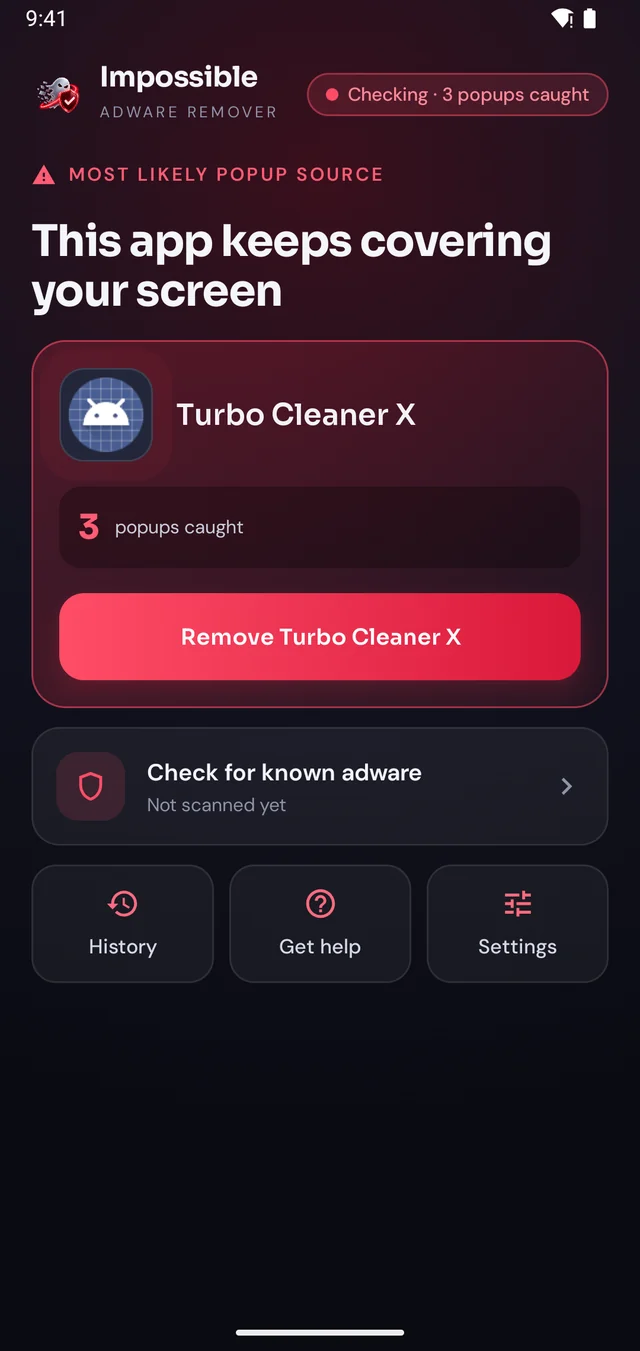
If the scans come back clean and the ads keep coming, the app is hiding. Impossible Adware Remover catches it the moment it draws the next pop-up.
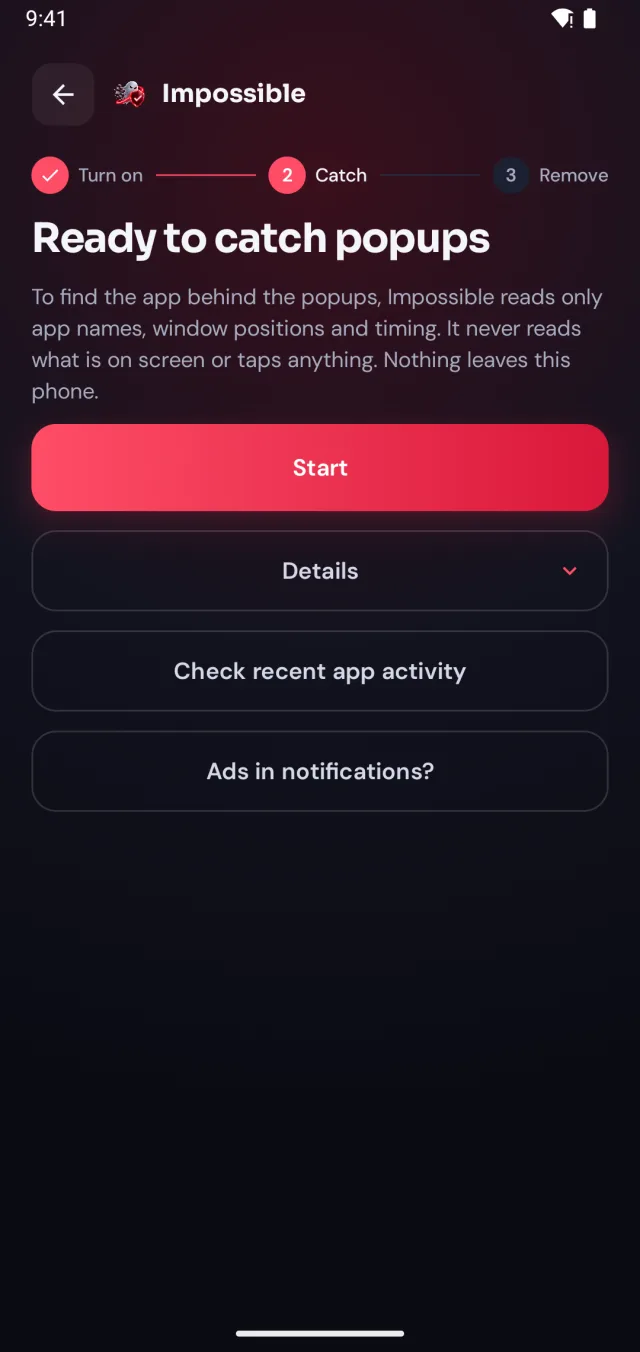
A few taps in Android’s settings, guided step by step. Impossible Adware Remover only sees which app is on screen and when, never what’s on it.
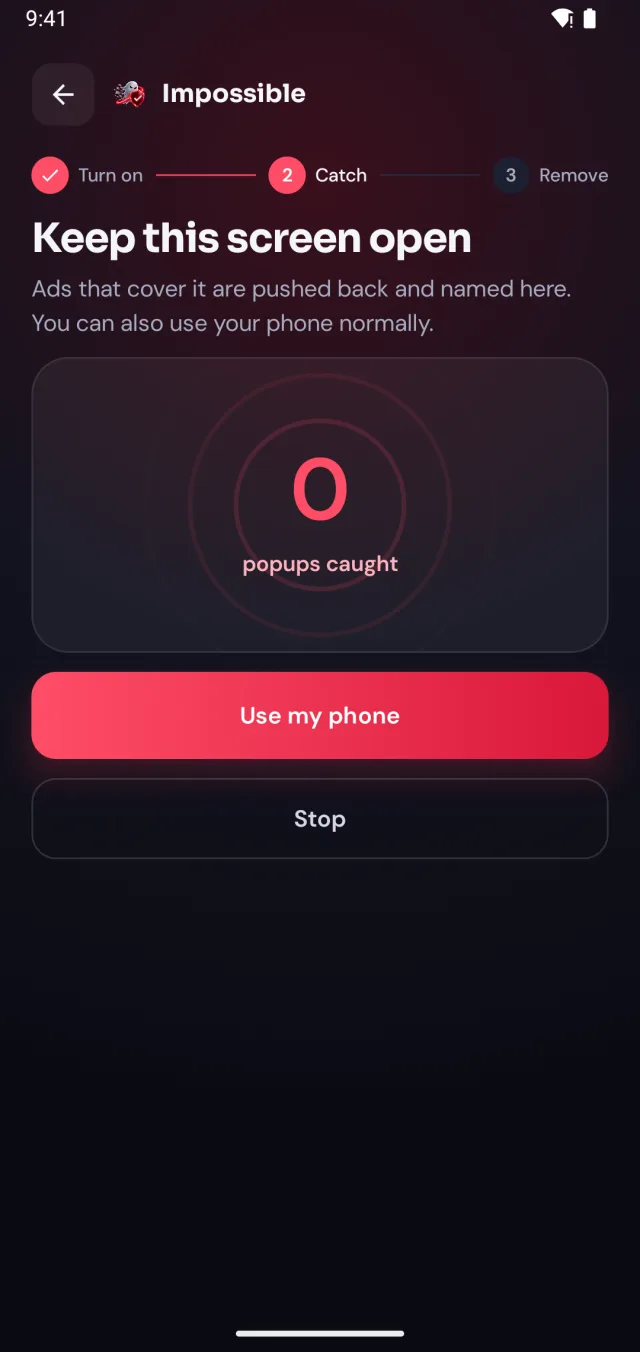
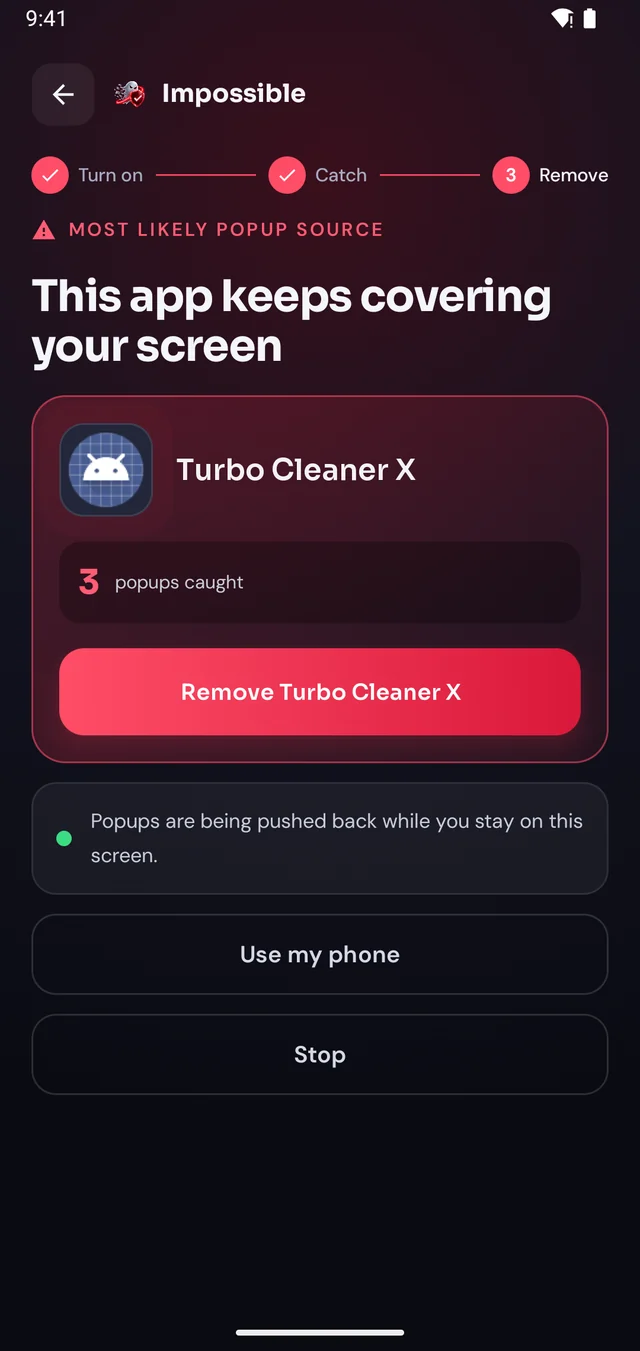
When the next pop-up lands, Impossible Adware Remover notes who sent it. After about two pop-ups it catches the app, even if it hides inside another app.
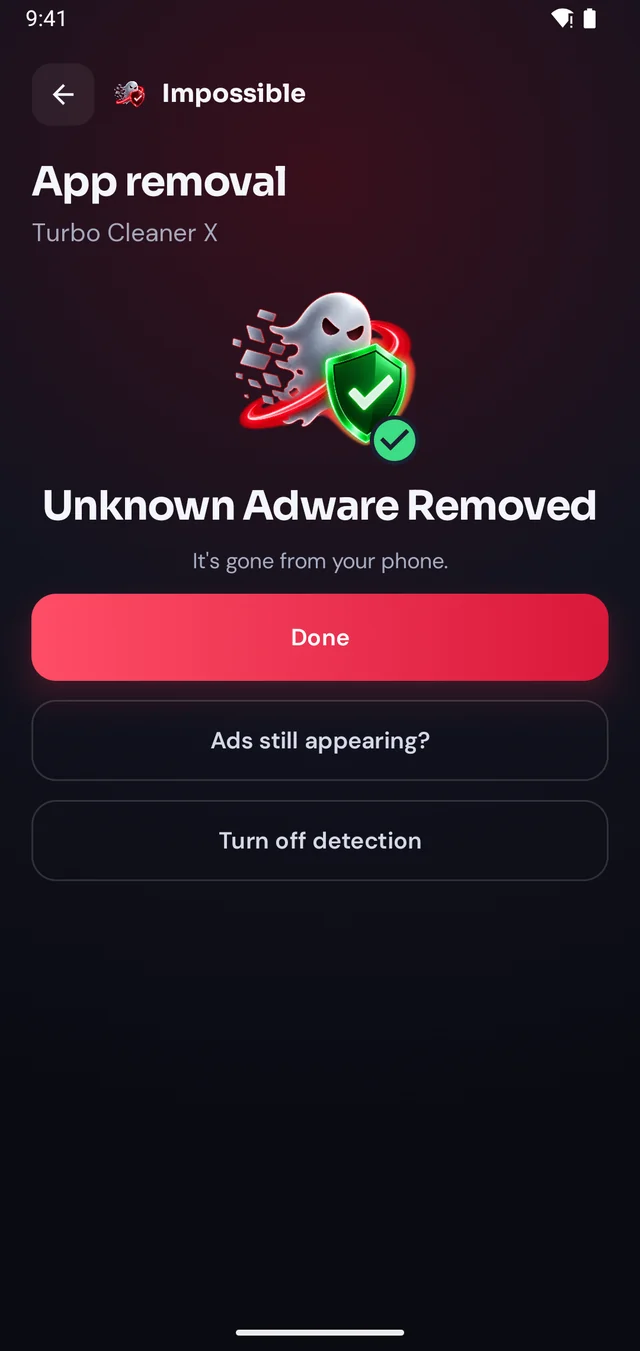
Finding it was free. Pay €4.99 once to see which app it is, then Android’s own uninstall dialog opens with a removal shield. Gone for good.
The pop-up shield
Stay on Impossible Adware Remover’s screen and every pop-up that tries to cover it is pushed back and counted. Finally, a calm screen where you can see what’s going on, find the app and remove it, without fighting your own phone.
FAQ
Probably not a classic virus: on Android, what people call a phone virus is almost always adware or another harmful app you installed without realising. The signs are pop-up ads outside your apps, apps you don’t remember installing, the browser opening by itself, and sudden battery or data drain. Check with Google Play Protect and Impossible Adware Remover’s free known adware scan.
Open the Play Store, tap your profile icon, then Play Protect → Scan. Then run the known adware scan in Impossible Adware Remover, which checks every installed app against 568 signed adware definitions. Finally look in Settings → Apps for apps you don’t recognise, and in Settings → Security → Device admin apps for anything unexpected.
Uninstall the app behind it. If it fights back with pop-ups, start in Safe Mode first, where downloaded apps can’t run. If Uninstall is greyed out, turn the app off under Device admin apps, then uninstall it. A factory reset is the last resort.
Yes. Google Play Protect is built into every Android phone with the Play Store, and Impossible Adware Remover’s known adware scan is free, names included.
Websites usually can’t install anything by themselves. What they do is show fake “virus detected” warnings or ask to send you notifications. Close the tab, and remove the site under Chrome → Settings → Site settings → Notifications. Never install an app a pop-up tells you to.
Yes, but it also erases everything else, and restoring the same app from a backup brings the problem back. Finding and removing the one app is faster.

Finding the app is free. You pay €4.99 once, only when Impossible Adware Remover has caught it. If the ads come back within 7 days, the next reveal is on us.
Get it onGoogle Play