Ad blockers for Android

The best ad blocker for Android is already free.

Four free options block most ads on an Android phone: three for the browser and one for apps. None of them can stop the full-screen pop-ups that come from an installed app. That takes removing the app.

Free to find · €4.99 to reveal & remove · no subscription

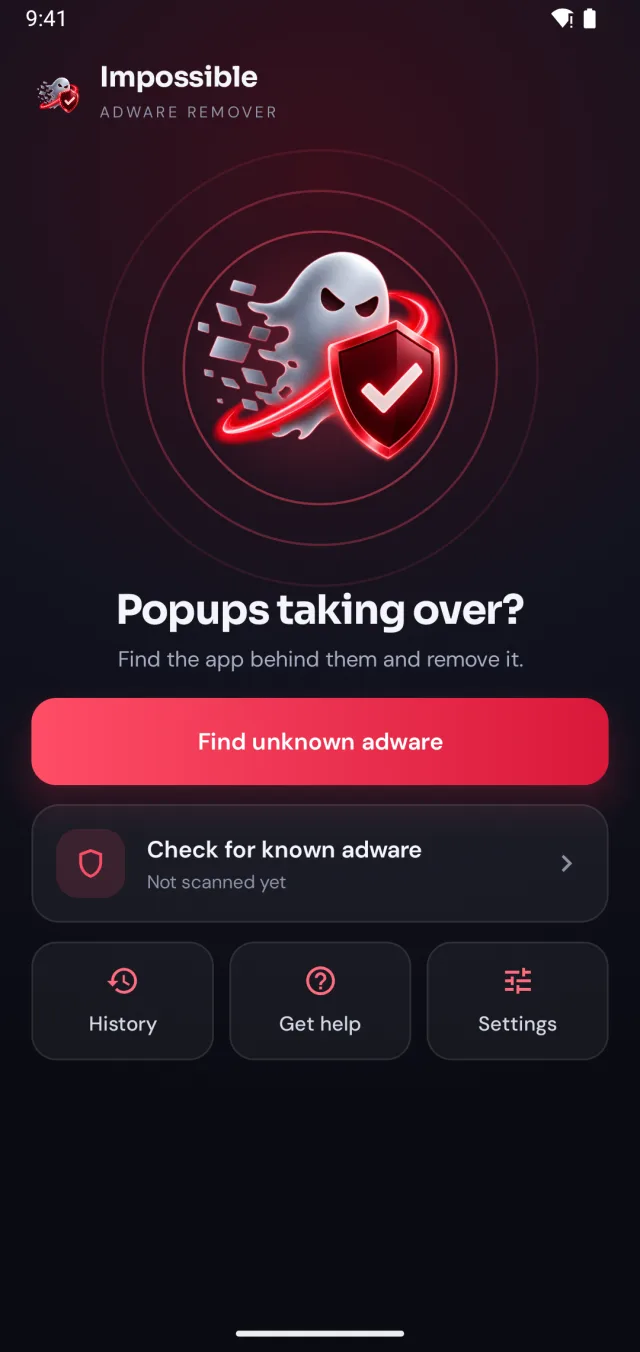
Impossible Adware Remover home screen: Popups taking over?
✓Pop-up pushed back
!App behind it: found
✓Adware removed

Short answer

The best free ad blockers for Android: Firefox with the uBlock Origin extension (strongest for websites), Brave (blocking built in, nothing to set up), Samsung Internet with an ad blocker from its menu (on Galaxy phones), and AdGuard DNS as your Private DNS (dns.adguard-dns.com) for many ads inside apps. Full-screen pop-ups over your home screen come from an installed adware app; no ad blocker stops those, uninstalling the app does.

Four free ad blockers

Pick by where you see the ads.

Blocks the most

Firefox + uBlock Origin

Firefox for Android runs the full uBlock Origin extension, the strongest free ad blocker for websites. Install Firefox from the Play Store, open Add-ons, and add uBlock Origin by Raymond Hill. Its filter lists update by themselves.
Easiest

Brave

A browser with ad and tracker blocking built in, called Shields. There’s nothing to install or set up: open a site and the ads are already gone. A good pick for someone who just wants it to work.

On a Galaxy phone

Samsung Internet

Samsung’s browser takes ad blockers from its own menu: tap the menu, choose Ad blockers (on some versions under Add-ons), download one from the list and switch it on. Keep using the browser you already have.

Ads inside apps

AdGuard DNS

Set as your phone’s Private DNS, it refuses to load ads from known ad servers in every app and browser, with nothing to install. Some apps rely on their ads and may show empty spaces instead. Setup takes a minute, below.

Chrome has no real ad blocker on Android. Its Intrusive ads setting (Settings → Site settings) only filters sites known for abusive ads, and its pop-up blocker stops new windows, not ads on the page.

One minute, no app

Set up AdGuard DNS

  1. Open Settings → Network & internet → Private DNS. On Samsung: Settings → Connections → More connection settings → Private DNS.
  2. Choose Private DNS provider hostname.
  3. Enter dns.adguard-dns.com and tap Save.
  4. If an app or a Wi-Fi login page stops loading, set Private DNS back to Automatic while you use it.

Menu names vary by phone; searching “Private DNS” in Settings always finds it. More ways to cut ads in how to block ads on your phone.

What a blocker can’t do

Blockers stop ads.
Not the app behind them.

An ad blocker handles

Ads on websites and in apps

Banners, video ads and pop-up pages while you browse, and many ads inside free apps. The ad never loads, so you never see it.

Only removal fixes

Full-screen pop-ups over everything

Ads on the home screen, over WhatsApp or the moment you unlock come from an installed adware app. With a blocker on, it keeps opening windows on top, often blank instead of gone. Remove the app and they stop for good.

The ads no blocker stops

Some ads come from an installed app.

Impossible Adware Remover isn’t an ad blocker. It catches the app that opens full-screen pop-ups, pushes them back while you work, and helps you uninstall it.

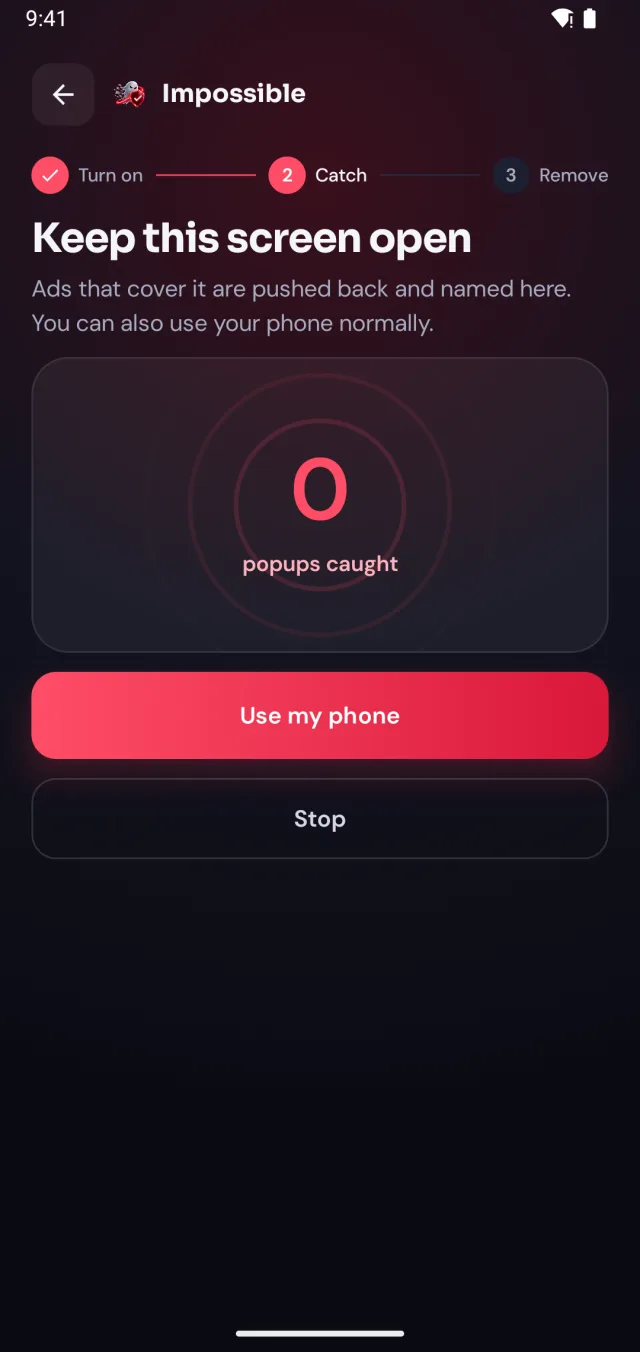
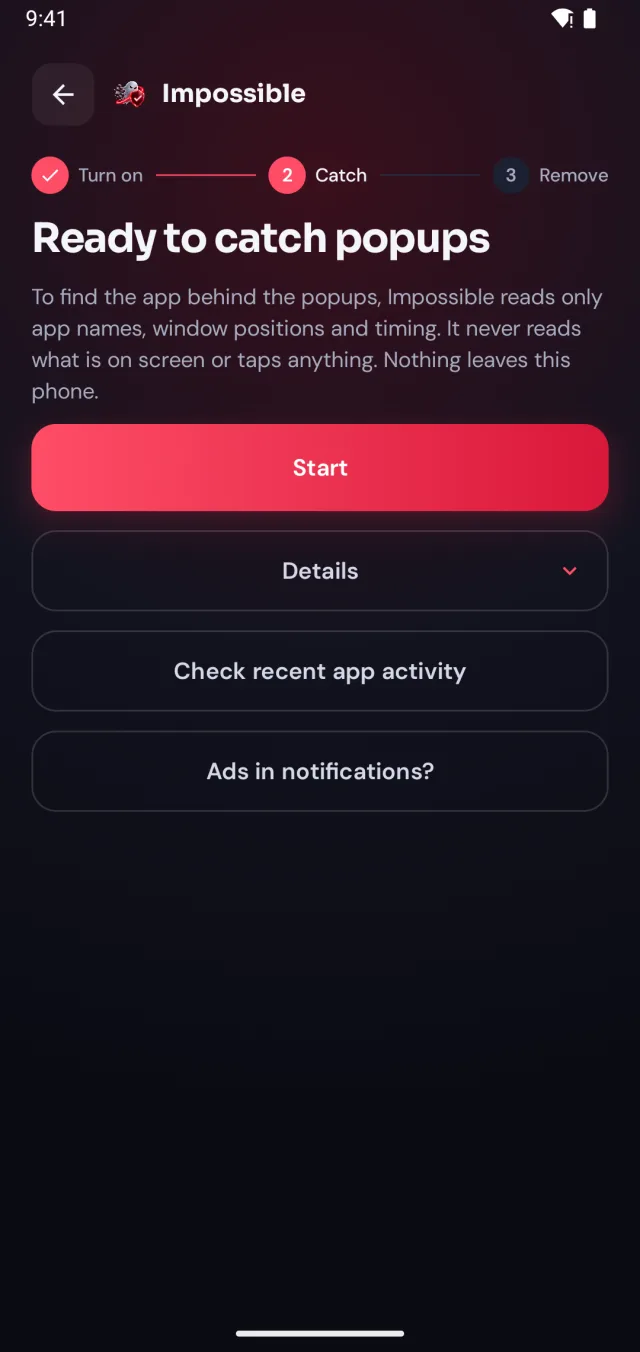
  1. Detection turned on, ready to catch pop-ups
    1

    Turn on detection, once

    A few taps in Android’s settings, guided step by step. Impossible Adware Remover only sees which app is on screen and when, never what’s on it.

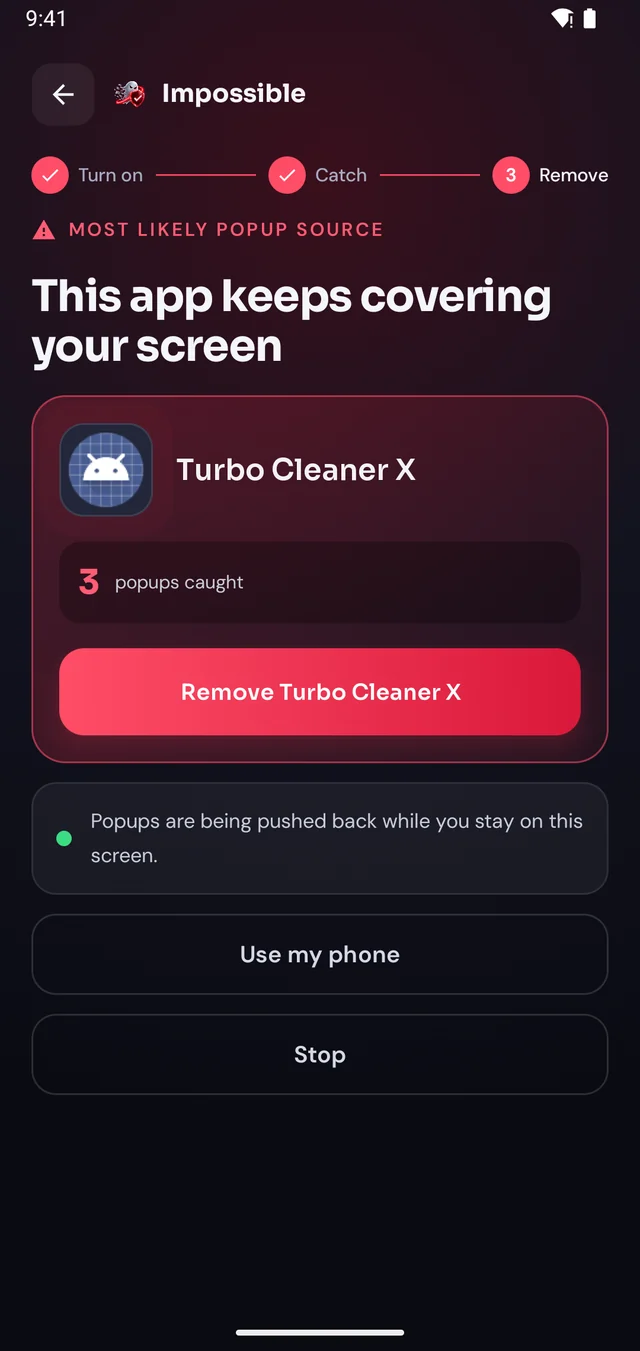
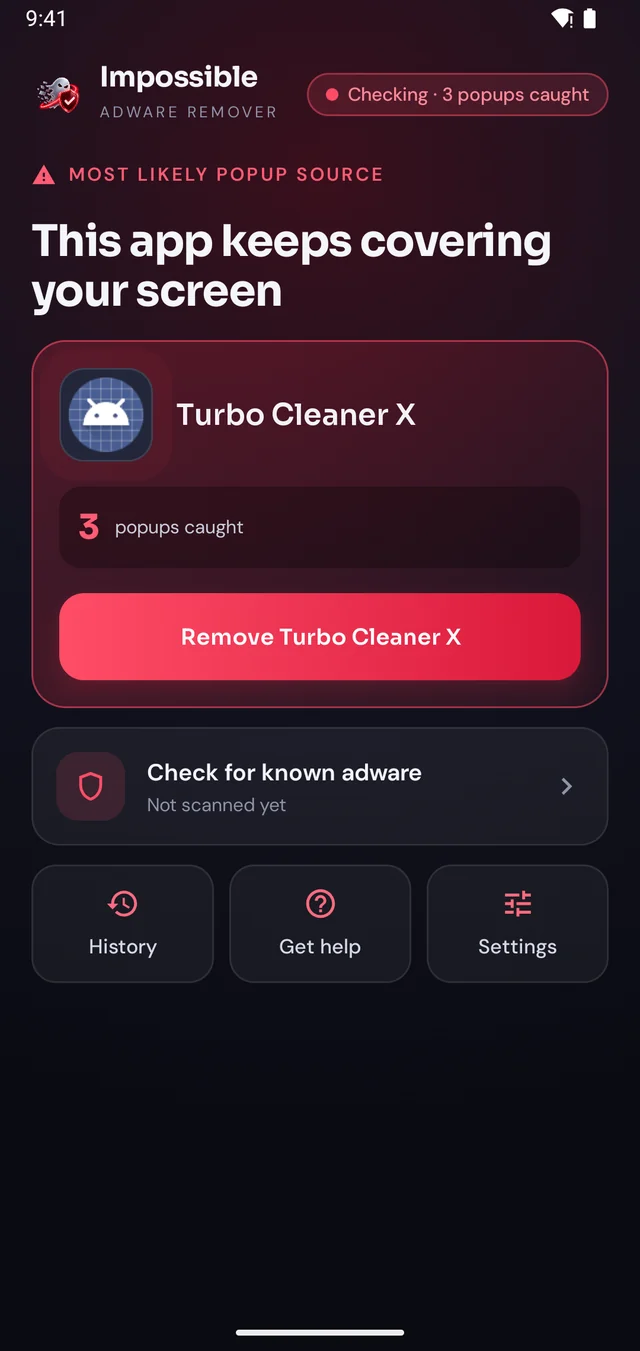
  2. The app behind the pop-ups is named
    2

    Keep using your phone

    When the next pop-up lands, Impossible Adware Remover notes who sent it. After about two pop-ups it catches the app, even if it hides inside another app.

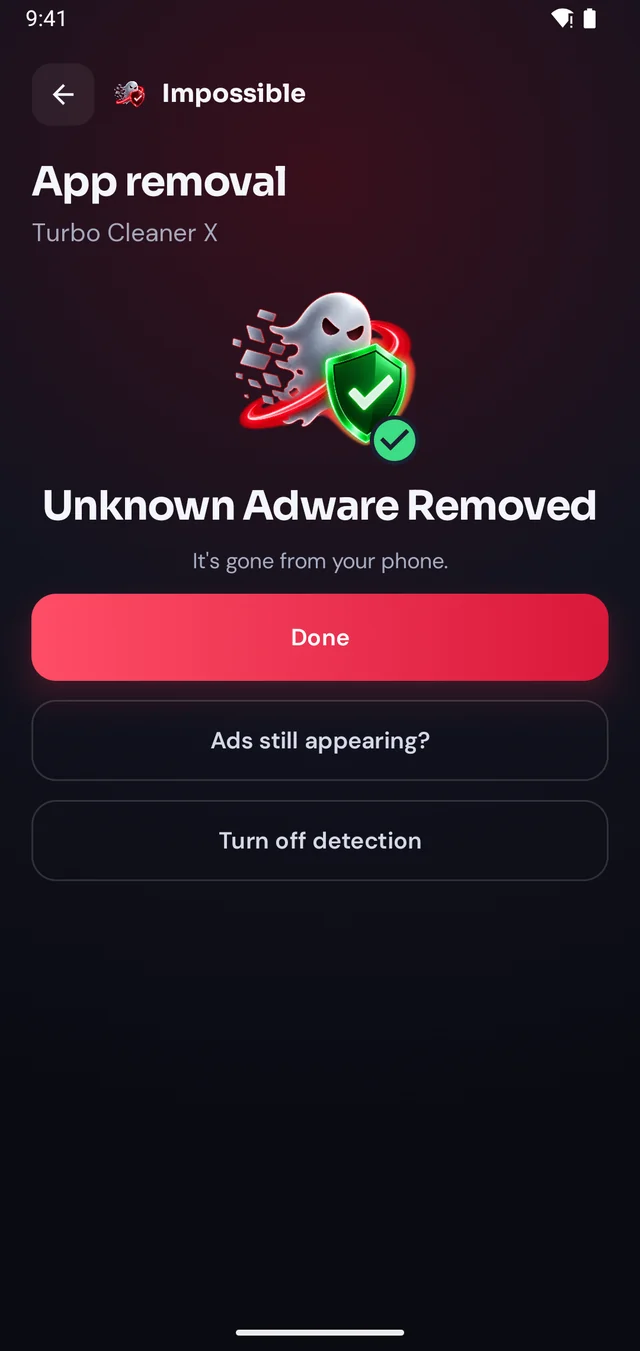
  3. Unknown adware removed
    3

    Reveal it, remove it

    Finding it was free. Pay €4.99 once to see which app it is, then Android’s own uninstall dialog opens with a removal shield. Gone for good.

The pop-up shield

Pop-ups get pushed back.

Stay on Impossible Adware Remover’s screen and every pop-up that tries to cover it is pushed back and counted. Finally, a calm screen where you can see what’s going on, find the app and remove it, without fighting your own phone.

  • Live counter of every pop-up caught
  • The source app named right there on screen
  • A removal shield while you uninstall it
Keep this screen open: 3 pop-ups pushed back and counted
Home screen while a pop-up app is caught

FAQ

Questions, answered.

What is the best ad blocker for Android?

For browsing, Firefox with uBlock Origin blocks the most. Brave is the easiest: blocking is built in. On a Samsung phone, Samsung Internet takes an ad blocker from its own menu. For ads inside apps, set AdGuard DNS as your Private DNS. All four are free.

What is the best free ad blocker for Android?

They’re all free: Firefox with uBlock Origin, Brave, Samsung Internet’s ad blockers and AdGuard DNS. Pick by where you see the ads: in the browser, or inside apps.

Does uBlock Origin work on Android?

Yes, in Firefox for Android, which runs the full extension. Install Firefox, open Add-ons, and add uBlock Origin (by Raymond Hill). Chrome on Android doesn’t support extensions, so it can’t run uBlock Origin.

How do I block ads inside apps on Android?

Set a DNS ad blocker: Settings → Network & internet → Private DNS (on Samsung: Connections → More connection settings → Private DNS), choose “Private DNS provider hostname” and enter dns.adguard-dns.com. It stops many in-app ads from loading. If an app or a Wi-Fi login page stops working, switch Private DNS back to Automatic.

Does Samsung Internet have an ad blocker?

It lets you add one. Open Samsung Internet, tap the menu, choose Ad blockers (on some versions under Add-ons), download one from the list and switch it on.

Why aren’t there full ad blocker apps on Google Play?

Google Play doesn’t allow apps that interfere with ads in other apps, so system-wide blockers are installed from their makers’ websites instead. If you do that, only download from the official site. A DNS ad blocker gets you most of the way without installing anything.

Why do I still get full-screen ads with an ad blocker?

Because an installed app is opening them. Ad blockers stop ads from loading; they don’t remove the app that keeps putting windows on top of your screen. Find that app and uninstall it. Impossible Adware Remover catches it for you.

Catch the app behind the pop-ups.
Remove it for good.

Finding the app is free. You pay €4.99 once, only when Impossible Adware Remover has caught it. If the ads come back within 7 days, the next reveal is on us.

Get it onGoogle Play