Package names
470apps
Named in the Vapor and IconAds adware campaigns. Most were on Google Play before they were removed.
 ImpossibleAdware remover
Get the app
ImpossibleAdware remover
Get the app
Research · updated October 2026
Security researchers have named 470 Android apps in two large adware campaigns, and confirmed 98 more app builds in eight other reports. Here they are in one place, with a search box and the source for every entry.
Free to find · €4.99 to reveal & remove · no subscription
Short answer
This list collects the Android apps that security researchers have publicly named as adware: 470 package names from the Vapor (Bitdefender, March 2025) and IconAds (HUMAN, July 2025) campaigns, 211 of which appear in more than one, plus 98 exact builds confirmed in reports on Necro, Konfety, Hidden adware and others. A match means the app was named in a report, not that every version is adware. No match doesn’t mean an app is clean: most adware is too new for any list.
The list in numbers
Package names
470apps
Named in the Vapor and IconAds adware campaigns. Most were on Google Play before they were removed.
Named twice
211apps
Appear in more than one campaign: research teams working separately flagged the same apps months apart.
Exact builds
98files
Specific app files confirmed as adware, matched by their fingerprint in eight more reports since 2019.
Check an app
Search the 470 package names. Type part of a name, or paste the app’s Play Store link.
To find a package name: open the app in the Play Store, tap ⋮ → Share and copy the link. The part after id= is the name. Too many apps to check by hand? The free known adware scan in Impossible Adware Remover checks every installed app against this list at once.
Two large campaigns
Bitdefender found apps on Google Play that started out harmless, then updated into adware: they hid their icon, showed full-screen ads over other apps and kept running in the background. Read Bitdefender’s report.
HUMAN’s Satori team tracked apps that hid their icons and showed ads out of context, over whatever you were doing, so you couldn’t tell which app they came from. Read HUMAN’s report.
211 apps appear in more than one campaign, so together they name 470 different apps. The reports describe the same tricks: a hidden icon and full-screen ads with no app name on them.
Confirmed builds
A malicious ad SDK inside otherwise working apps. It loads ads in invisible WebViews and signs people up to paid subscriptions. Zimperium.
“Evil twin” copies of real apps that hide their icon, then show deceptive ads and open redirects in the browser. Zimperium.
Photo and fashion apps on Google Play that hid their icon after install and showed full-screen ads. Symantec.
Adware riding inside repackaged apps, showing ads and faking clicks on them for ad fraud. Jamf.
Riskware from Google Play that hid its icon and pushed aggressive ads. Bitdefender.
Intrusive in-app advertising (Kaspersky), adware that waits before its first ad (SonicWall) and an adware sample from web threat research (Unit 42).
Reading the result
Researchers found adware in the version they examined. Your version may be clean, and a new app can reuse an old name. If you have it installed and you’re getting pop-ups, uninstall it.
Adware is renamed and republished faster than any list grows. If pop-ups continue, find the app by what it does: catch the app that draws them, whatever its name.
Sources and reuse
Download the list as JSON (470 package names with their campaign). The names are facts published in the reports above: if you reuse them, credit the researchers and link to this page. Any entry is removed if its publisher asks.
Pop-ups from an unknown app
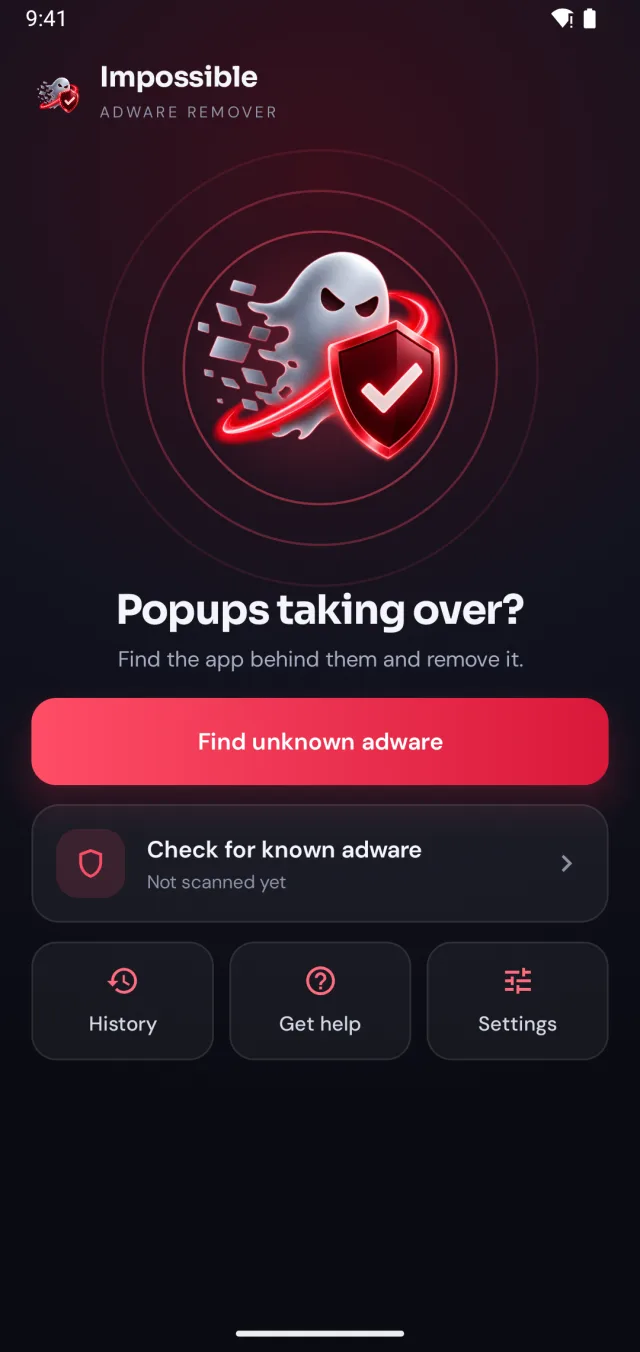
Impossible Adware Remover checks your apps against this list for free, and catches adware no list knows yet by watching which app draws each pop-up.
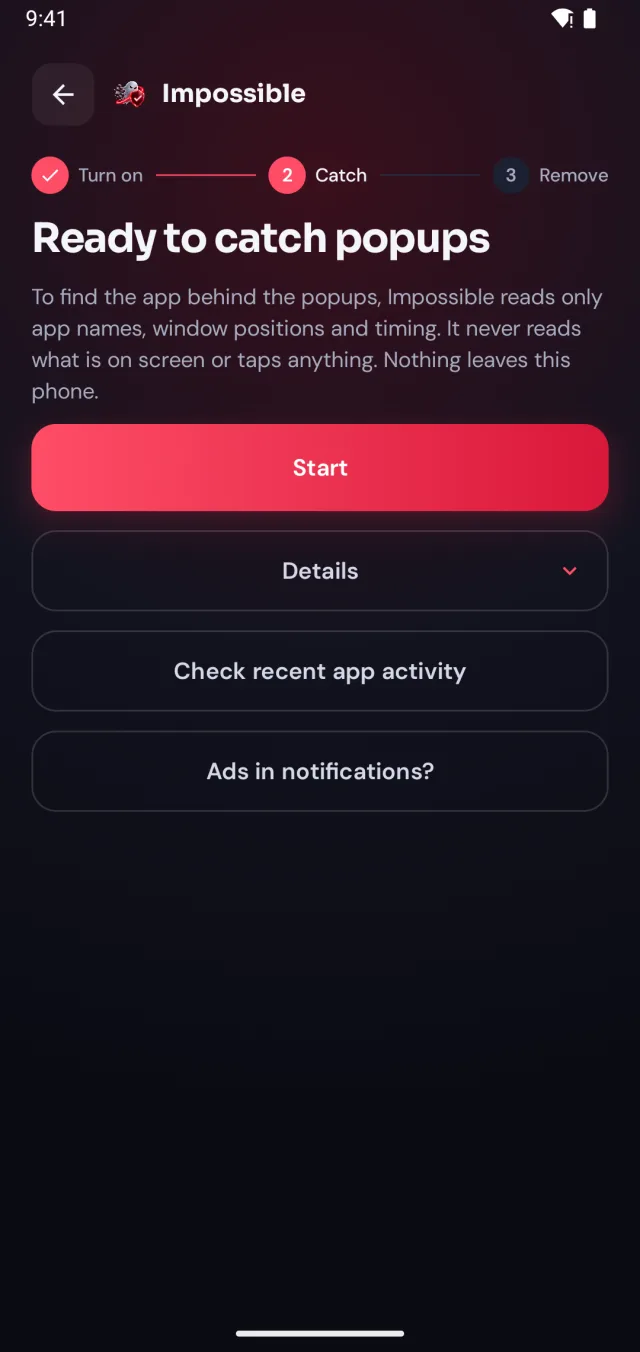
A few taps in Android’s settings, guided step by step. Impossible Adware Remover only sees which app is on screen and when, never what’s on it.
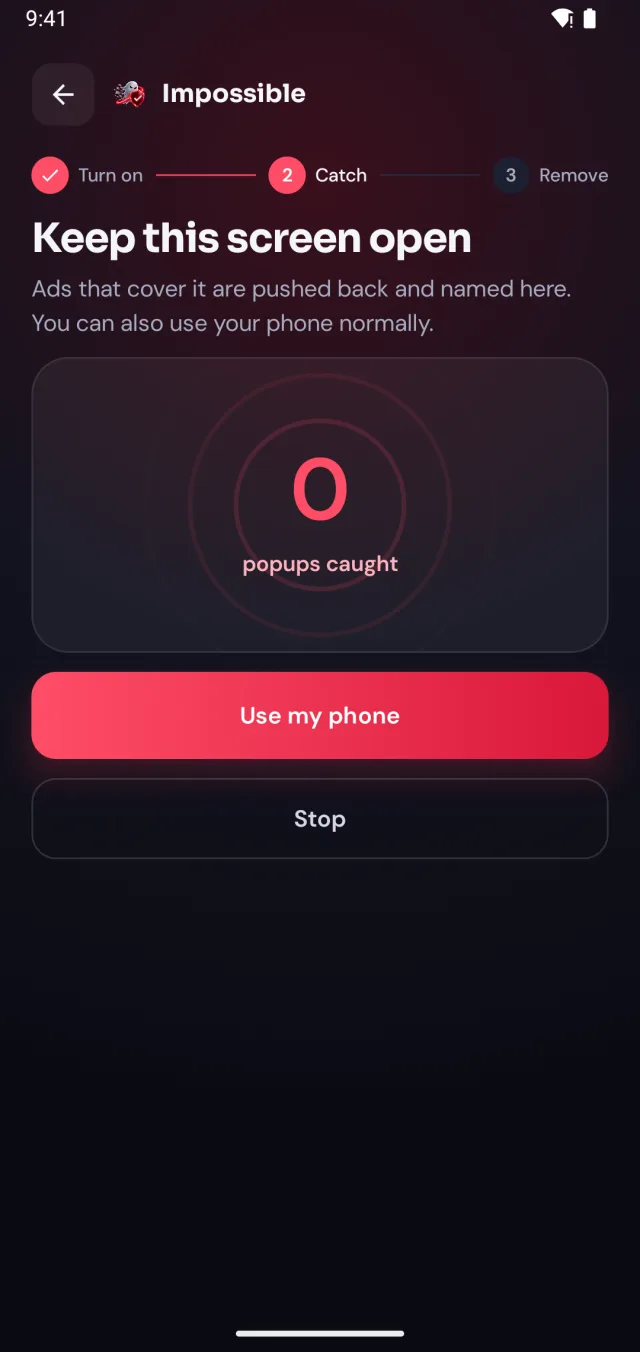
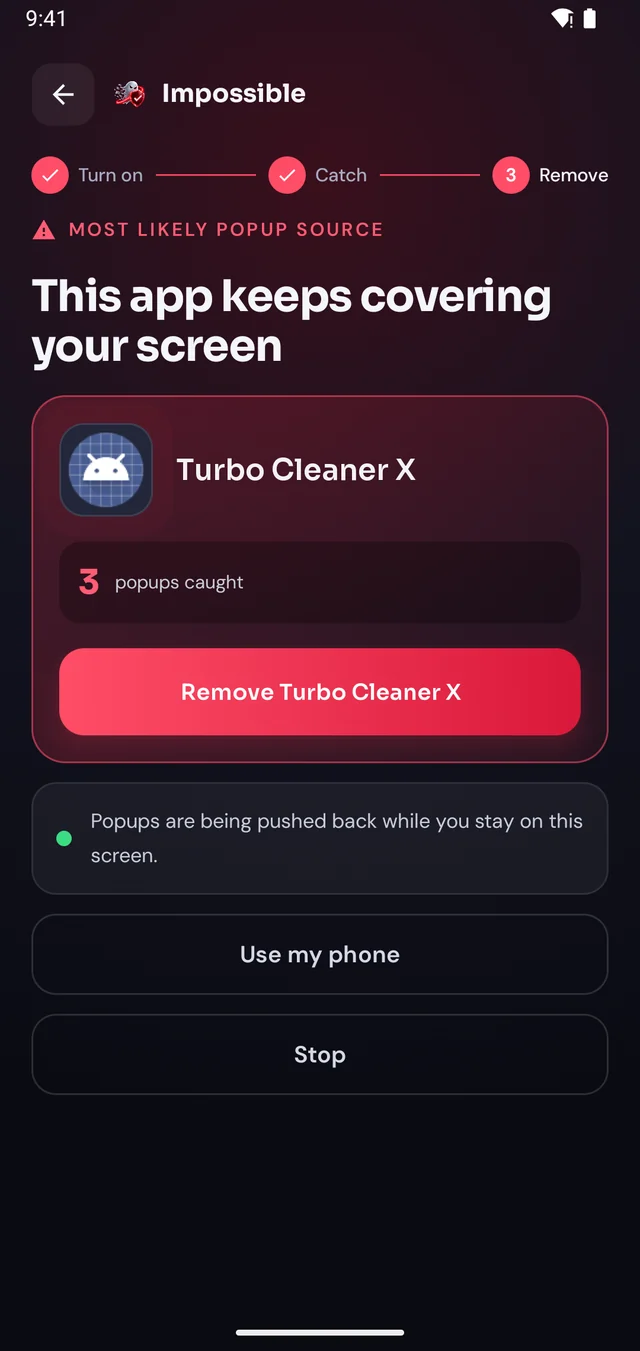
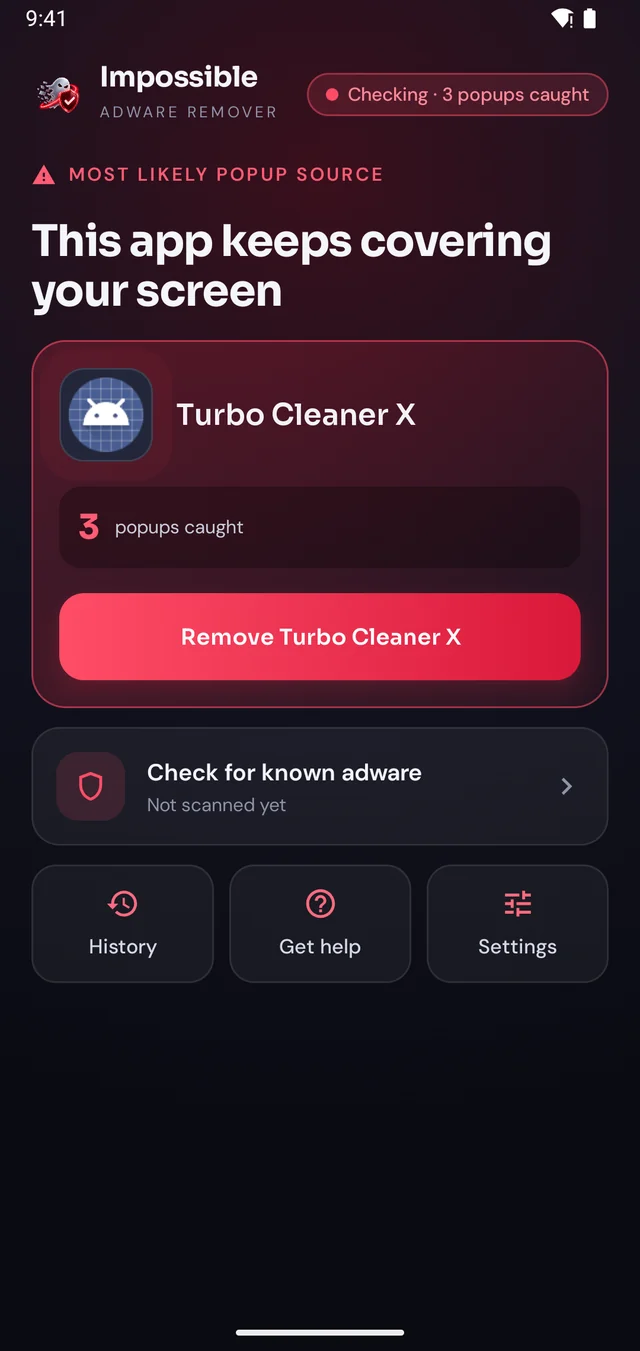
When the next pop-up lands, Impossible Adware Remover notes who sent it. After about two pop-ups it catches the app, even if it hides inside another app.
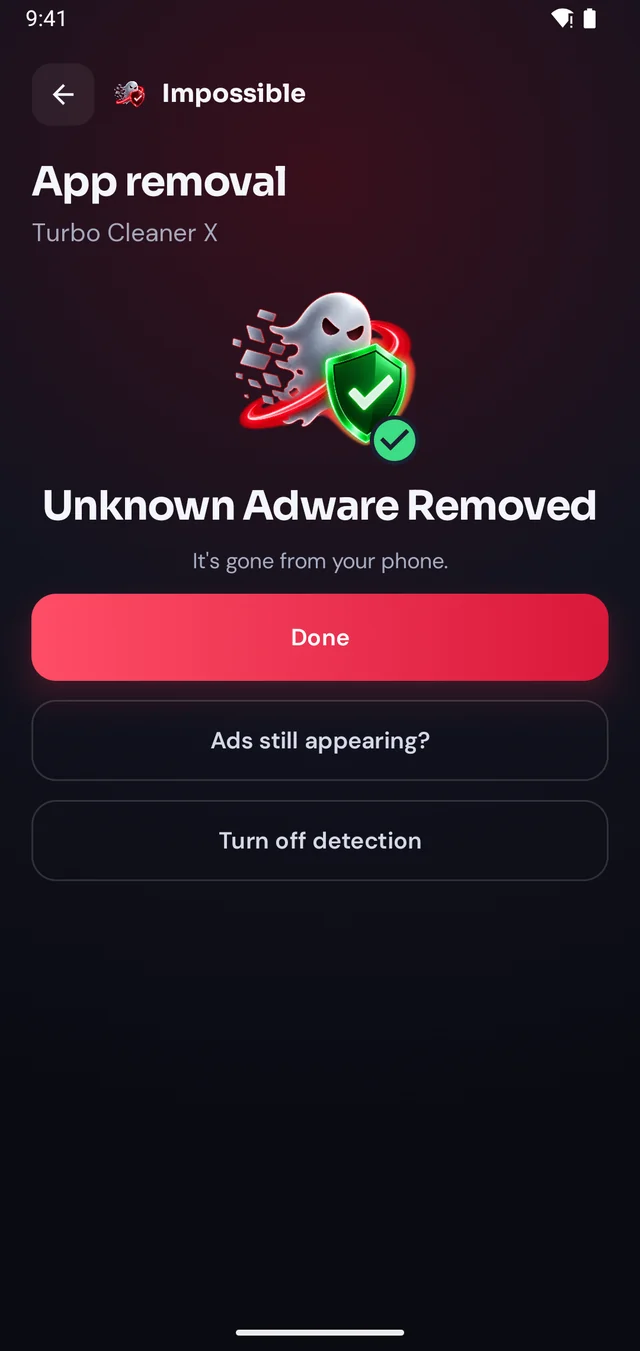
Finding it was free. Pay €4.99 once to see which app it is, then Android’s own uninstall dialog opens with a removal shield. Gone for good.
The pop-up shield
Stay on Impossible Adware Remover’s screen and every pop-up that tries to cover it is pushed back and counted. Finally, a calm screen where you can see what’s going on, find the app and remove it, without fighting your own phone.
FAQ
A list of 470 Android apps named by security researchers in two published adware campaigns, Vapor (Bitdefender, March 2025) and IconAds (HUMAN, July 2025), plus 98 specific app builds confirmed as adware in eight other reports. Every entry links back to the report it came from.
Treat it as suspicious, not confirmed. The researchers found adware in the version they examined; other versions of the same app can be clean, and a new app can reuse an old name. If you have it installed and you get pop-ups, uninstalling it is the safe move.
Not necessarily. Adware apps are renamed and republished all the time, so most of what is on phones today isn’t on any list yet. If you get full-screen pop-ups, catch the app by what it does instead: Impossible Adware Remover names the app that draws them.
Open the app’s page in the Play Store, tap ⋮ → Share and copy the link. The part after id= is the package name, for example com.example.app. Paste the whole link into the search box; it reads the name out for you.
From published research by Bitdefender, HUMAN, Zimperium, Symantec, Jamf, Kaspersky, SonicWall and Unit 42, using the package names and file hashes they released. Each entry was reviewed and signed before it went into Impossible Adware Remover’s definitions, which are public on GitHub.
Yes. Download it as JSON. The package names are facts from the researchers’ public reports, so please credit them, and link to this page. Any entry is removed if its publisher asks.
Whenever a new campaign is published and reviewed. The date at the top of the page shows the last update, and the same entries go into the app’s known adware scan.

Finding the app is free. You pay €4.99 once, only when Impossible Adware Remover has caught it. If the ads come back within 7 days, the next reveal is on us.
Get it onGoogle Play