It hides
No icon, a harmless-sounding name, or tucked inside an app that looks normal: a QR scanner, a flashlight, a cleaner. You can stare at your app list and never spot it.
 ImpossibleAdware remover
Get the app
Impossible Adware Remover for Android
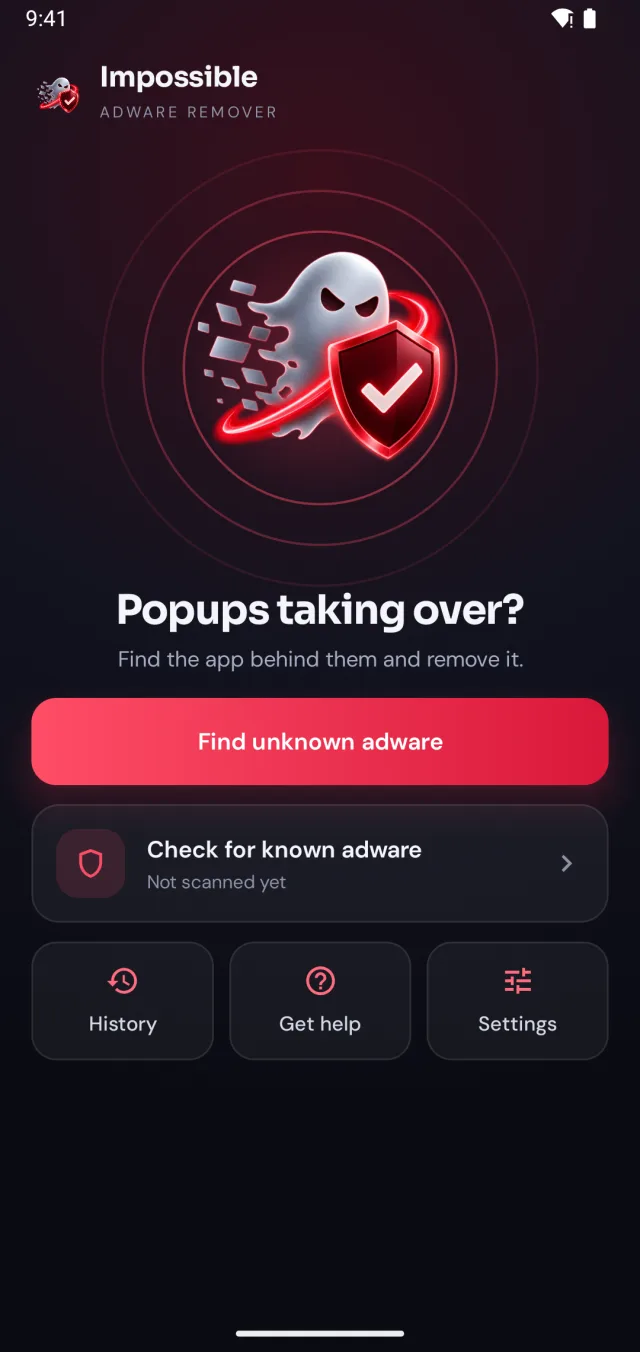
Pop-ups over every screen, and nothing you uninstall makes them stop? The adware is hiding, sometimes inside an app that looks completely normal. Impossible Adware Remover catches the app that keeps jumping on top of your screen, reveals it, and helps you remove it. Even adware no database knows yet.
Free to find · €4.99 to reveal & remove · no subscription
How to stop pop-up ads on an Android phone
Pop-up ads that cover your home screen and other apps come from an installed app, usually adware hiding behind a normal-looking app. Find that app and uninstall it, and the ads stop for good. Impossible Adware Remover catches it after about two pop-ups, pushes the pop-ups back while you work, and opens Android’s uninstall dialog. Phone too covered to use? Start in Safe Mode first.
Why the usual tips fail
“Uninstall suspicious apps.” “Check what you installed recently.” It sounds simple, until the adware is built to dodge exactly that.
No icon, a harmless-sounding name, or tucked inside an app that looks normal: a QR scanner, a flashlight, a cleaner. You can stare at your app list and never spot it.
Pop-ups jump over every screen. You close one, another lands. By the time you reach the app list, you’ve lost your place three times.
No guide can tell you which app it is. Uninstall the wrong one and the ads keep coming, while the real culprit stays put.
Don’t guess the app. Catch it in the act.
How it works
Three steps, and you never have to guess which app it is.
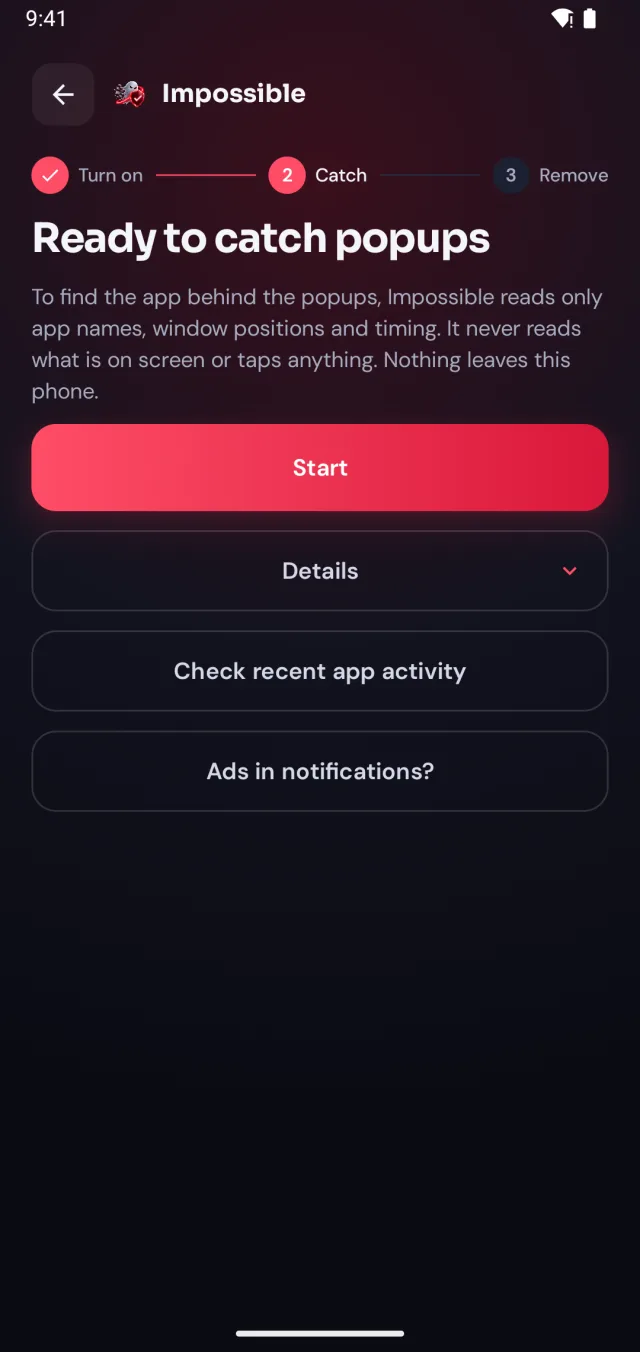
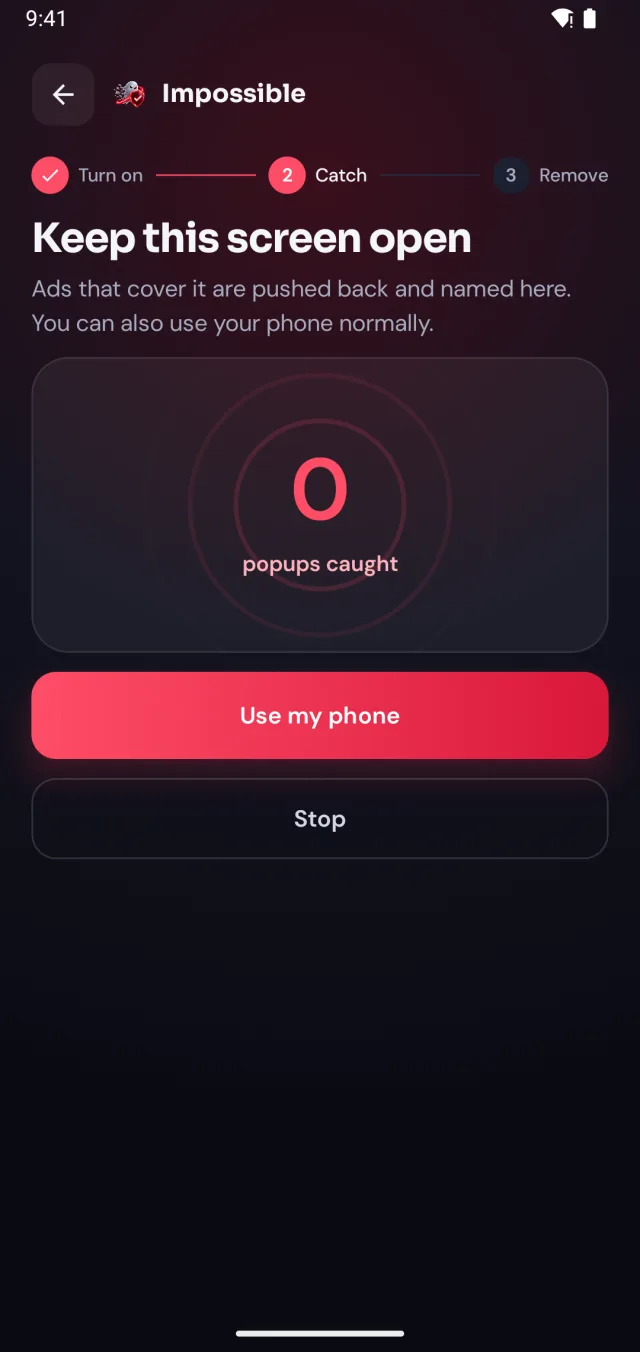
Impossible Adware Remover walks you through Android’s setting in a few taps. From then on it watches which app jumps on top of your screen. It never reads what’s on it.
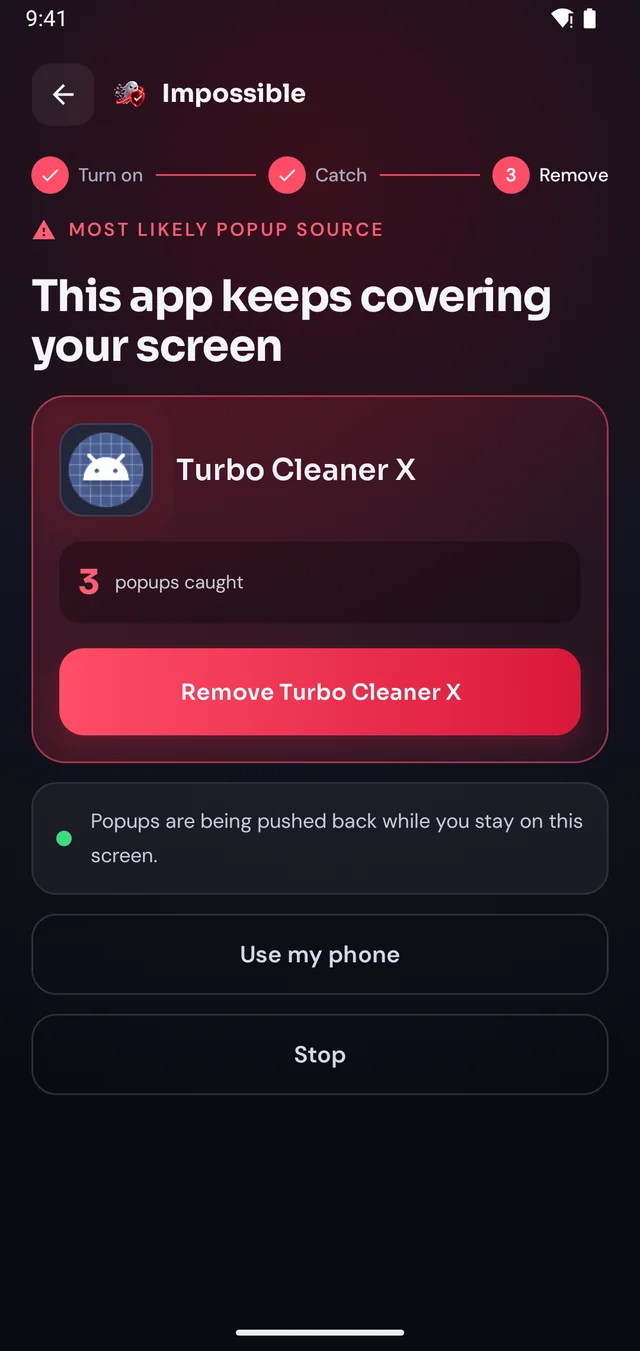
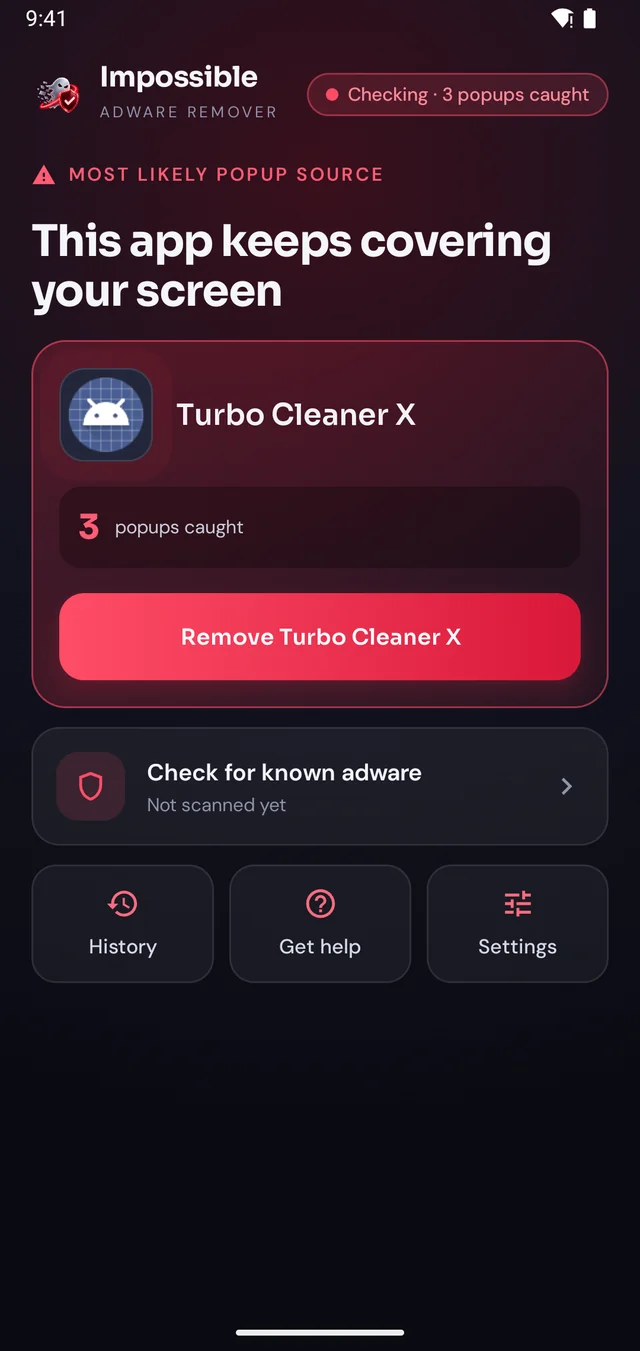
When the next pop-up lands, Impossible Adware Remover notes who sent it. After about two pop-ups it catches the app: “This app keeps covering your screen.” Even if it hides inside another app.
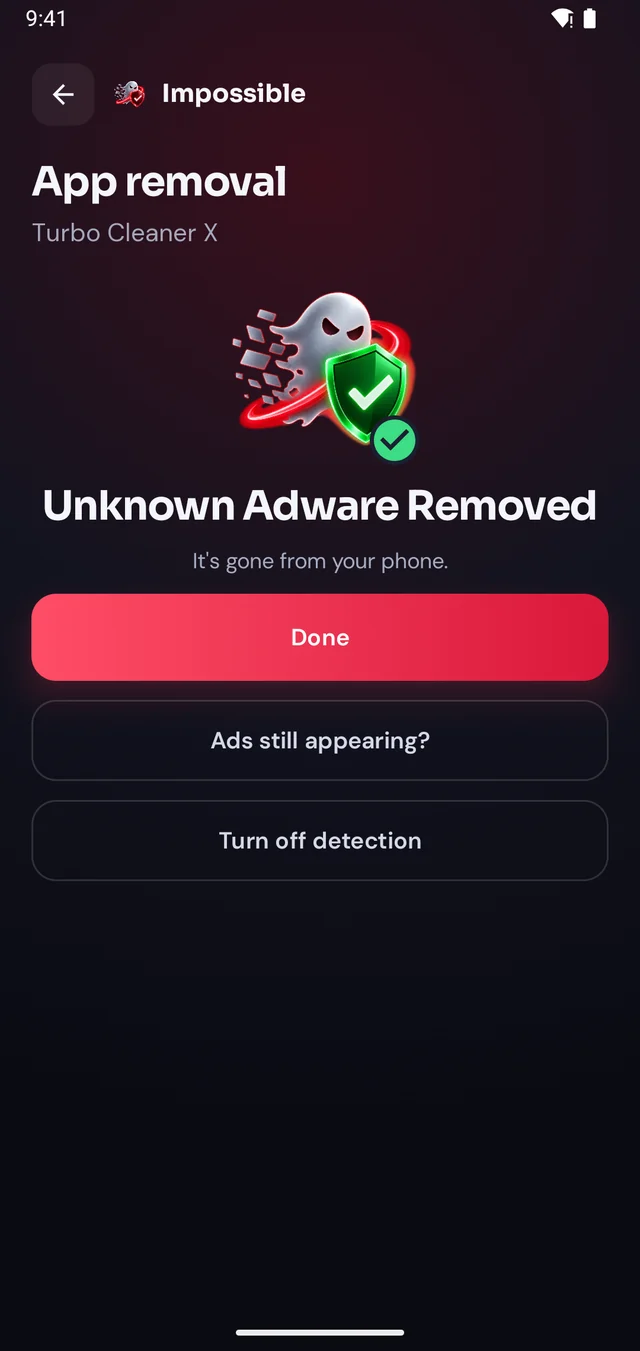
Finding it is free. Pay €4.99 once to see which app it is, tap Remove, and Android’s own uninstall dialog opens. A removal shield stops the adware from burying it while you confirm. “Unknown Adware Removed.”
The pop-up shield
Stay on Impossible Adware Remover’s screen and every pop-up that tries to cover it is pushed back and counted. Finally, a calm screen where you can see what’s going on, find the app and remove it, without fighting your own phone.
More than one way to catch it
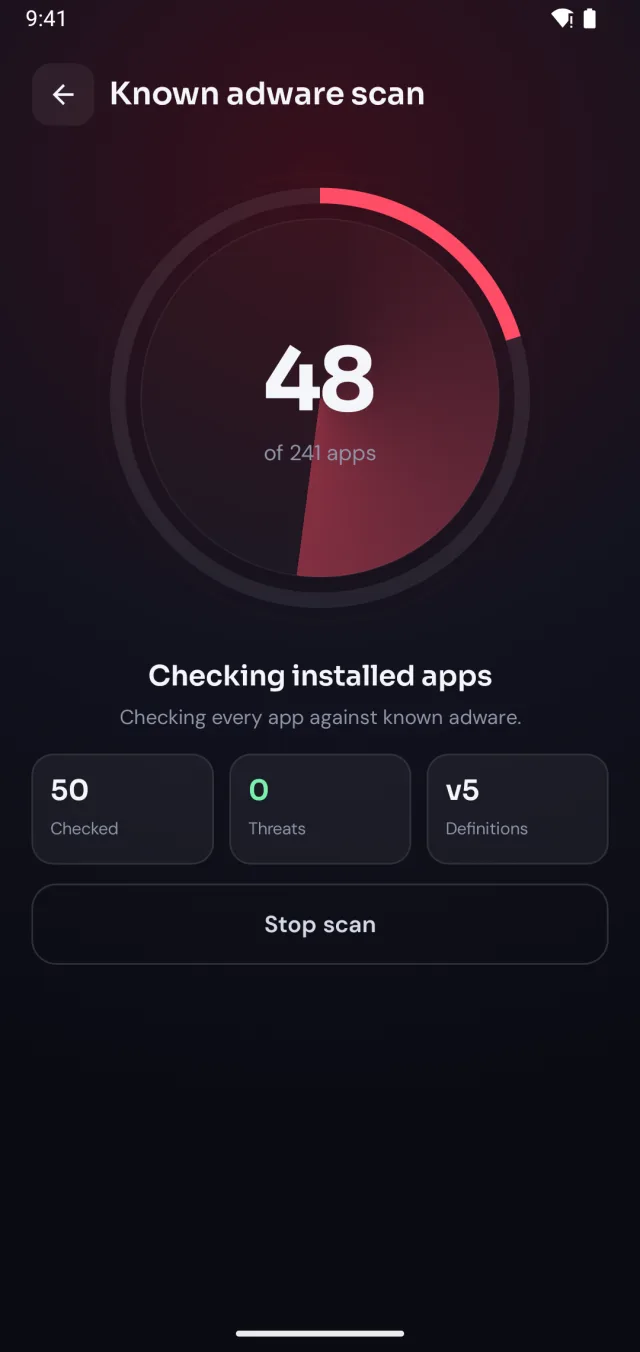
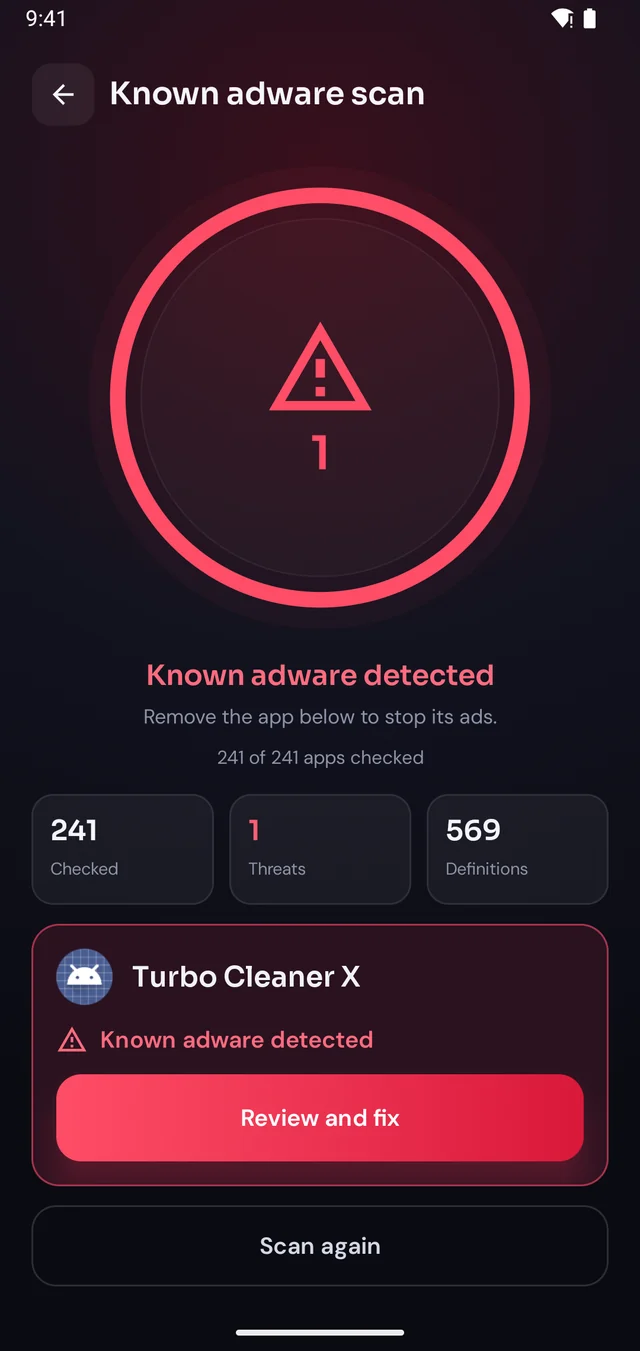
Checks every installed app against 568 signed definitions: 98 exact fingerprints of confirmed adware (families like Konfety, Necro, MobiDash and HiddenAds) and 470 apps from published adware campaigns, flagged as “suspicious” so you can check them first.
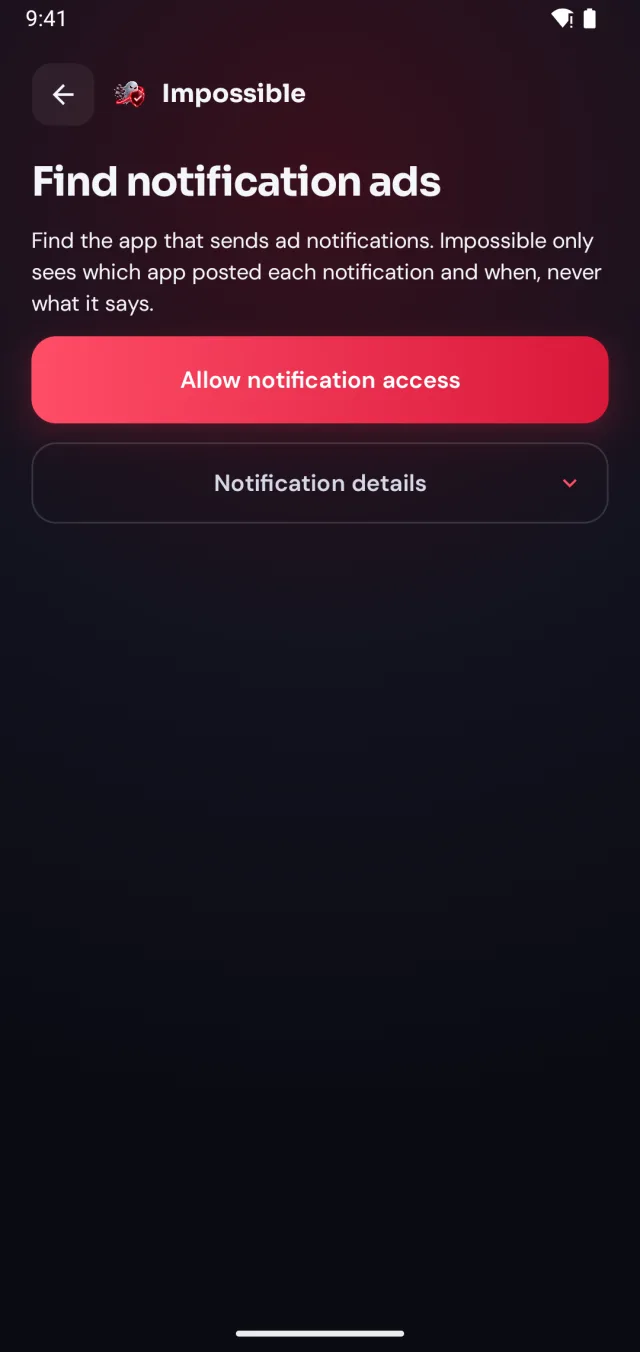
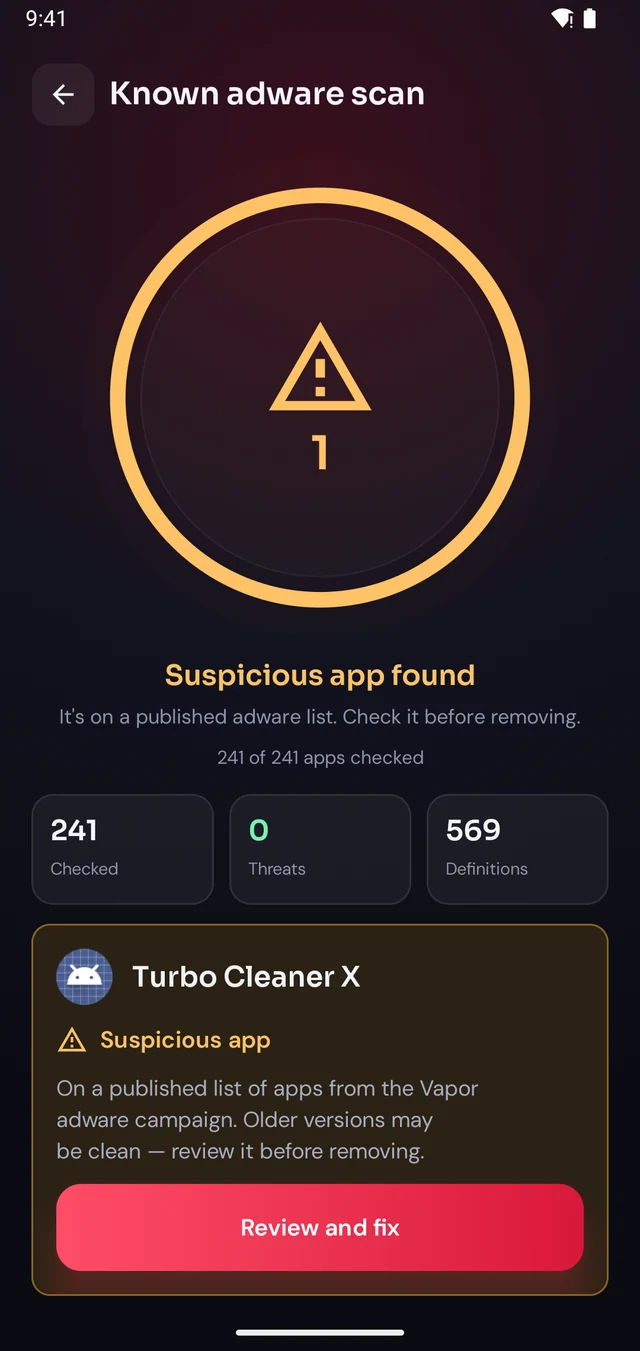
Notification shade full of “offers”? Impossible Adware Remover finds the app posting them. It sees only which app posted a notification and when, never what it says.
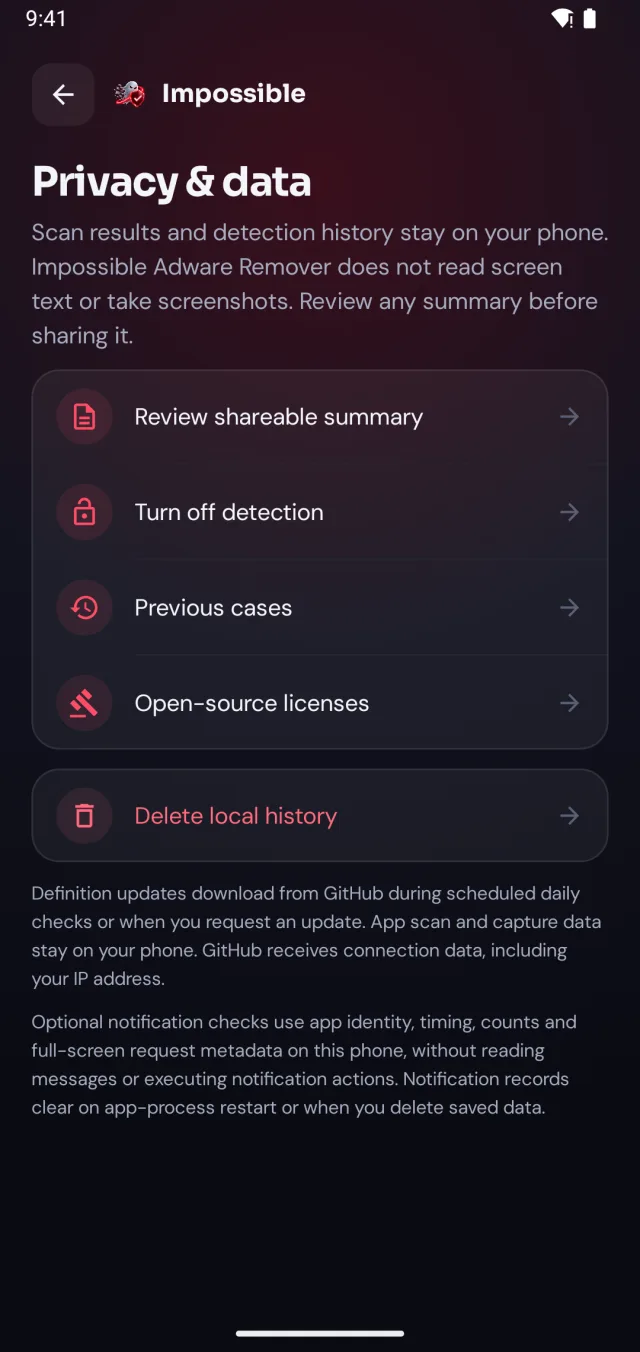
New adware definitions download daily, and every update is cryptographically signed and checked before use, so a tampered file is rejected.
With usage access, Impossible Adware Remover can flag apps that kept jumping in front of the one you were using, even before you turned detection on.
Privacy
Phone blocked by pop-ups?
Safe Mode starts your phone without downloaded apps, so the adware can’t run. You can read this on another device while you do it.
Pop-ups only inside Chrome or another browser? Those come from a website, not an app. Close the tab, then in Chrome go to Settings → Site settings → Pop-ups and redirects, and turn off notifications from sites you don’t trust. More in the pop-up blocker guide.
Pricing
Find it
Free
Turn on detection, catch the pop-ups and see the proof that one app is behind them.
Reveal & remove One-time
€4.99once, per app caught
Only when Impossible Adware Remover has caught the app behind your pop-ups: see which app it is and remove it.
No subscription, no ads inside the app. Prices include VAT where it applies.
Fix it for your phone
FAQ
Pop-ups that appear over your home screen and other apps come from an app installed on your phone, usually one that hides itself. Impossible Adware Remover finds that app: turn on detection once, keep using your phone, and it catches the app that keeps jumping on top of your screen, usually after two pop-ups. Tap Remove and confirm in Android’s own dialog.
Ads inside a free app belong to that app, and ads in Chrome are stopped in Chrome’s site settings. Full-screen ads over your home screen and other apps come from adware, and stop for good once you uninstall it. Impossible Adware Remover catches that app for you. More in how to block ads on your phone.
Most guides tell you to “uninstall suspicious apps” or check recently installed apps. Adware is built to dodge that: it hides its icon, uses a harmless name, or sits inside an app that looks normal, like a QR scanner or a flashlight. And while pop-ups keep covering the screen, it’s hard to even get to Settings. Impossible Adware Remover watches which app actually puts windows on top of your screen, so you don’t have to guess.
Yes. That’s the main feature. Unknown adware is caught by what it does, putting pop-ups over your screen, not by a list of known names. On top of that, the known adware scan checks every installed app against signed definitions of confirmed adware.
No. Impossible Adware Remover never removes anything on its own. Remove opens Android’s own “Do you want to uninstall this app?” dialog, and you confirm. While that dialog is open, a removal shield stops the adware from covering it.
While you stay on Impossible Adware Remover’s screen, pop-ups that try to cover it are pushed back and counted, so you can finish finding and removing the app in peace. Once the adware app is uninstalled, its pop-ups are gone for good.
It’s the only way Android lets an app see which app is on screen and which window just jumped on top. Impossible Adware Remover uses it to read app names, window positions and timing. It never reads what’s on your screen, takes screenshots or taps anything.
Yes. It works on Android phones from any brand, because it watches Android itself rather than one manufacturer’s settings. The setup screen walks you through turning on detection on your phone.
Start your phone in Safe Mode, which turns off downloaded apps, so the adware can’t run. The steps are in “Phone blocked by pop-ups?” on this page. Then open Impossible Adware Remover to make sure the pop-ups are gone.
Finding the app is free: detection, the proof, the known adware scan and the notification check cost nothing. When Impossible Adware Remover has caught the app behind your pop-ups, you pay €4.99 once to reveal it and remove it. If the ads come back within 7 days, the next reveal is free. No subscription, no ads.

Finding the app is free. You pay €4.99 once, only when Impossible Adware Remover has caught it. If the ads come back within 7 days, the next reveal is on us.
Get it onGoogle Play