Ads outside apps
Full-screen ads on the home screen, over WhatsApp, or the moment you unlock. Normal apps can’t do that without a special permission.
 ImpossibleAdware remover
Get the app
ImpossibleAdware remover
Get the app
Pop-up “virus” on Android
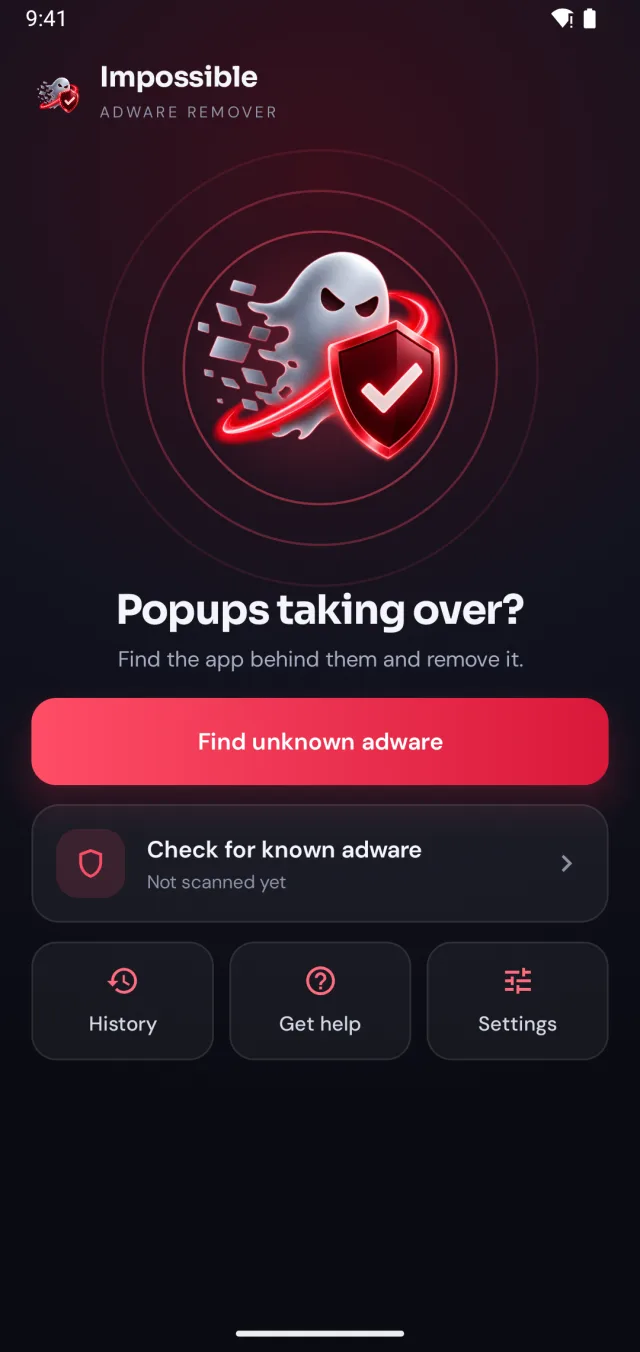
The “virus” covering your phone in ads is almost always adware: an app that hides, waits, and shows ads over everything. Impossible Adware Remover finds that app, even when no virus database knows it yet.
Free to find · €4.99 to reveal & remove · no subscription
Short answer
A pop-up ads virus on Android is adware: an installed app that shows full-screen ads over your home screen and other apps. To remove it, find the app and uninstall it. Impossible Adware Remover catches the app after about two pop-ups, even when it hides inside a normal app. Its known adware scan checks every app against 568 signed definitions.
How to check your phone
Full-screen ads on the home screen, over WhatsApp, or the moment you unlock. Normal apps can’t do that without a special permission.
“3 viruses found”, “Your battery is damaged”, “Clean now”. These are ads pushing you to install more apps.
A new browser, a new “cleaner”, Chrome opening by itself, or apps with no icon in Settings → Apps.
Recognise any of these? Run two checks: Google Play Protect (Play Store → your profile icon → Play Protect → Scan) and Impossible Adware Remover’s known adware scan, which checks every installed app against 568 signed adware definitions, updated daily, including families like Konfety, Necro, MobiDash and HiddenAds. You can also search the list of apps researchers have named.
If both come back clean and the pop-ups continue, the adware is new or hiding inside an app that looks normal. That’s where scans that compare names stop, and where Impossible Adware Remover’s detection starts: it watches which app draws the pop-up, the moment it appears.
The fix
Impossible Adware Remover doesn’t make you guess. It watches which app puts windows on top of your screen and catches it in the act.
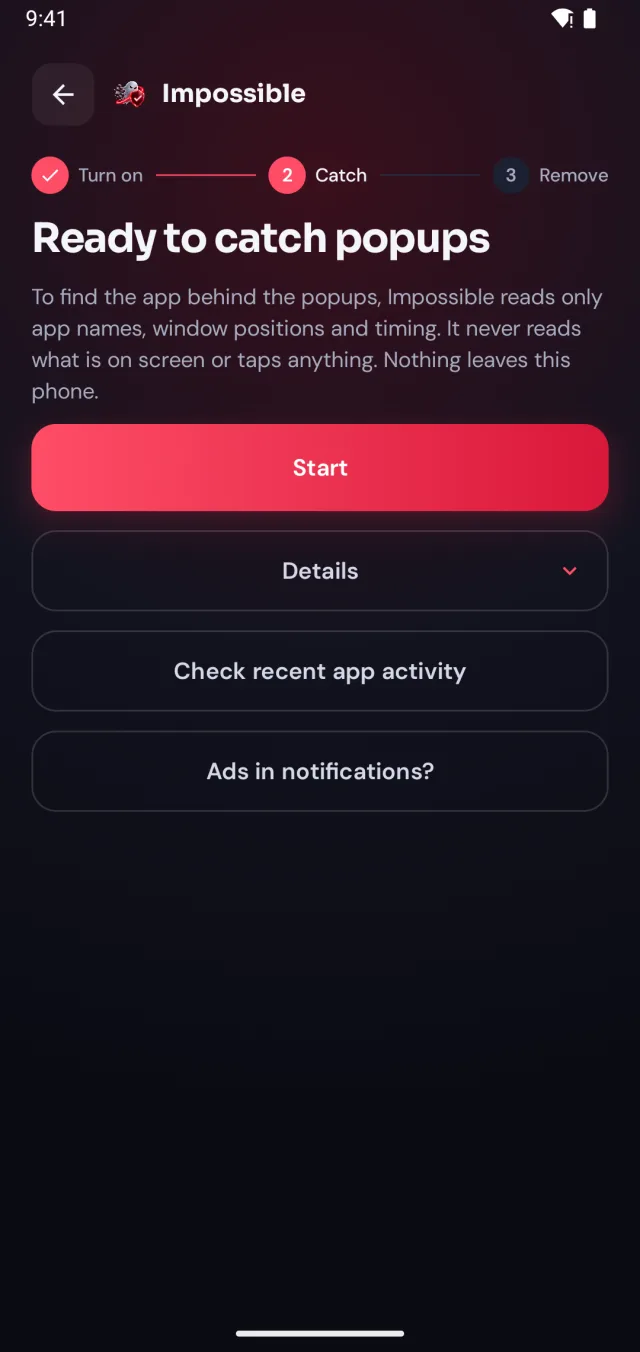
A few taps in Android’s settings, guided step by step. Impossible Adware Remover only sees which app is on screen and when, never what’s on it.
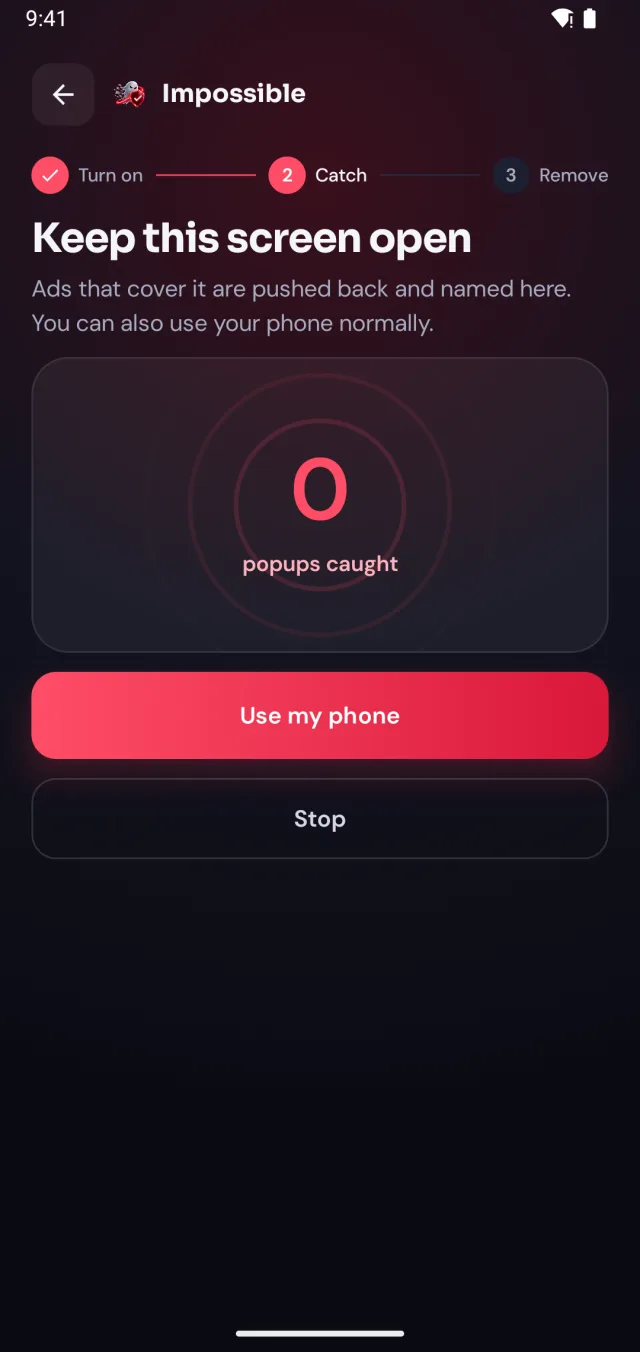
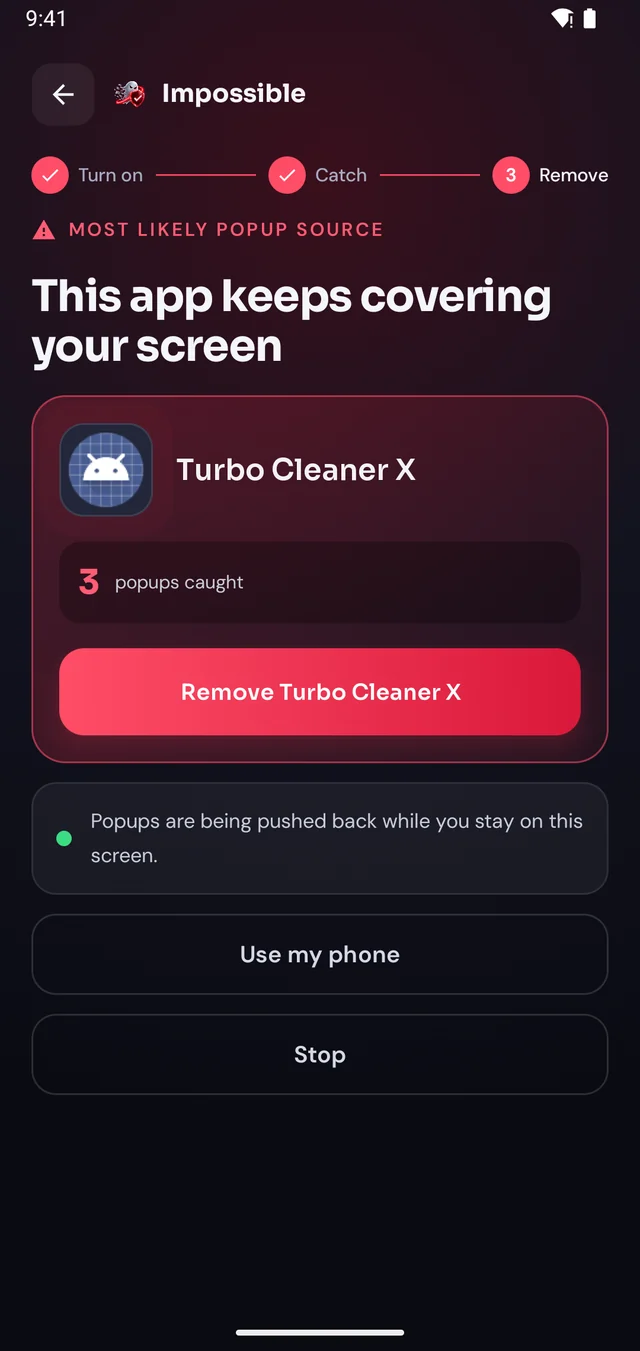
When the next pop-up lands, Impossible Adware Remover notes who sent it. After about two pop-ups it catches the app, even if it hides inside another app.
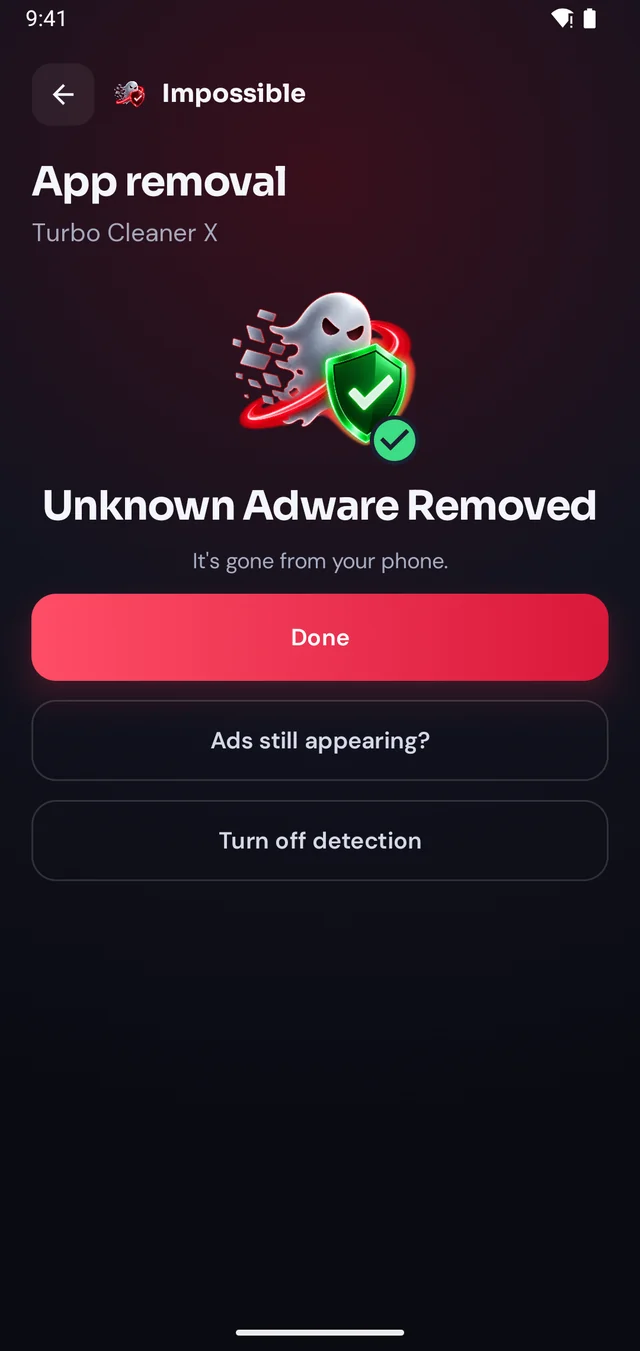
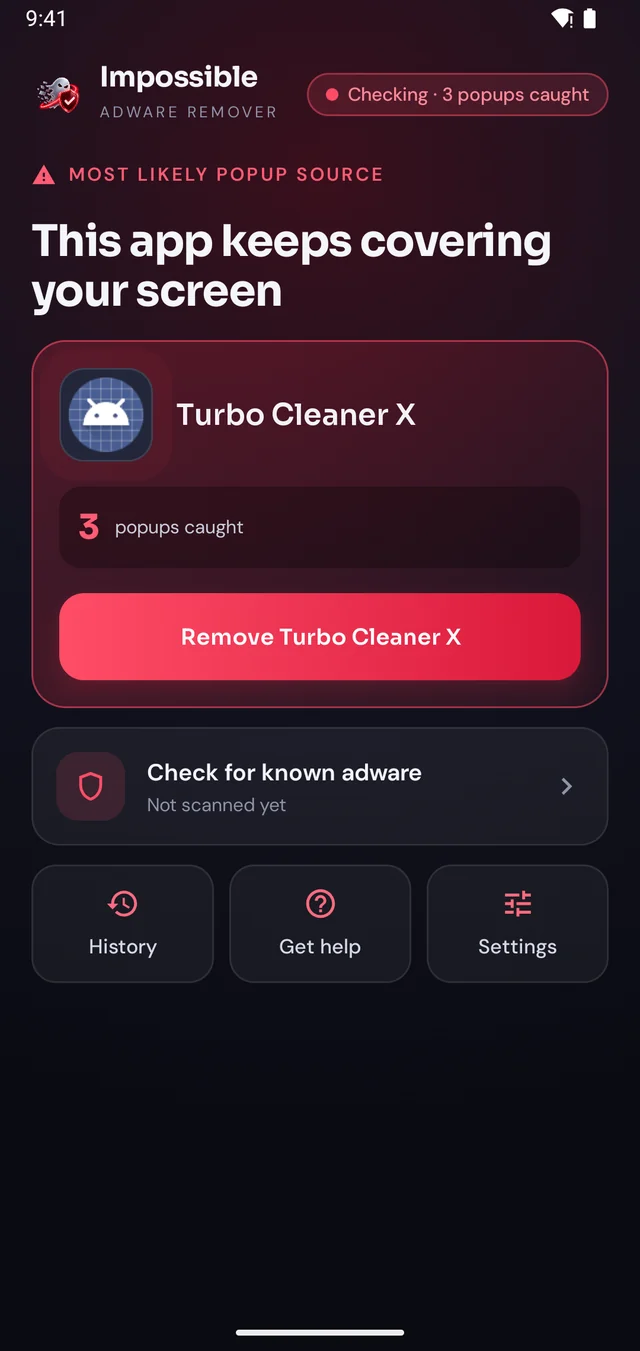
Finding it was free. Pay €4.99 once to see which app it is, then Android’s own uninstall dialog opens with a removal shield. Gone for good.
The pop-up shield
Stay on Impossible Adware Remover’s screen and every pop-up that tries to cover it is pushed back and counted. Finally, a calm screen where you can see what’s going on, find the app and remove it, without fighting your own phone.
FAQ
The “virus” behind pop-up ads is almost always adware: an installed app that shows ads over your screen. Find that app and uninstall it. Impossible Adware Remover catches it after about two pop-ups, even when it hides inside a normal-looking app, and opens Android’s uninstall dialog for you.
Watch for full-screen ads outside apps, ads when you unlock, new apps you don’t remember installing, the browser opening by itself, or a sudden battery drain. On Android, run Google Play Protect (Play Store → profile icon → Play Protect) and Impossible Adware Remover’s known adware scan, which checks every app against 568 signed adware definitions.
No. “Your phone has 3 viruses” pages are ads, often shown by adware, trying to make you install something. Never tap them. Close the tab or wait for Impossible Adware Remover to name the app that shows them.
Play Protect removes apps Google already knows are harmful. Adware that hides inside a working app often isn’t on that list yet. Impossible Adware Remover catches it by what it does, putting pop-ups over your screen, so it also finds adware no database knows yet.
Sometimes: boot into Safe Mode and uninstall the newest apps one by one. It works when you can guess the right app. When you can’t, because it hides or waited days before showing ads, Impossible Adware Remover tells you which one it is.

Finding the app is free. You pay €4.99 once, only when Impossible Adware Remover has caught it. If the ads come back within 7 days, the next reveal is on us.
Get it onGoogle Play