Pop-ups while browsing
New tabs, redirects and “You won!” pages on websites. Your browser’s pop-up blocker handles these, and it’s on by default in Chrome.
 ImpossibleAdware remover
Get the app
ImpossibleAdware remover
Get the app
Pop-up blockers on Android
Your phone already has a pop-up blocker for websites. If pop-ups still cover your home screen and other apps, no blocker will stop them: an installed app is opening them, and the fix is removing it.
Free to find · €4.99 to reveal & remove · no subscription
Short answer
Android’s pop-up blocker is in your browser: Chrome blocks pop-ups and redirects under Settings → Site settings → Pop-ups and redirects, and Samsung Internet under Settings → Sites and downloads → Block pop-ups. A private DNS ad blocker cuts many ads inside apps. Full-screen pop-ups over the home screen and other apps come from an installed adware app; no blocker stops them, uninstalling the app does. Impossible Adware Remover finds that app.
Where do the pop-ups appear?
New tabs, redirects and “You won!” pages on websites. Your browser’s pop-up blocker handles these, and it’s on by default in Chrome.
“Allow notifications?” pages you once tapped keep sending ads. Remove the site under Chrome → Settings → Site settings → Notifications.
Full-screen ads on the home screen, over WhatsApp, when you unlock, even with the browser closed. An installed app draws these, and no pop-up blocker can see them.
Free, already on your phone
Menu names change between versions; if a step doesn’t match, search for “pop-ups” in the browser’s settings.
Why blocker apps fall short
Ad blockers refuse to load ads from known ad servers. That works well inside browsers and many apps. But adware that’s already installed keeps opening its own windows on top of your screen, often blank or broken instead of gone, because the app doing it is still there.
Every full-screen pop-up is opened by one installed app, often one with no icon or a harmless name. Find it and uninstall it, and its pop-ups stop for good. That’s what an adware removal app is for.
Pop-ups over everything
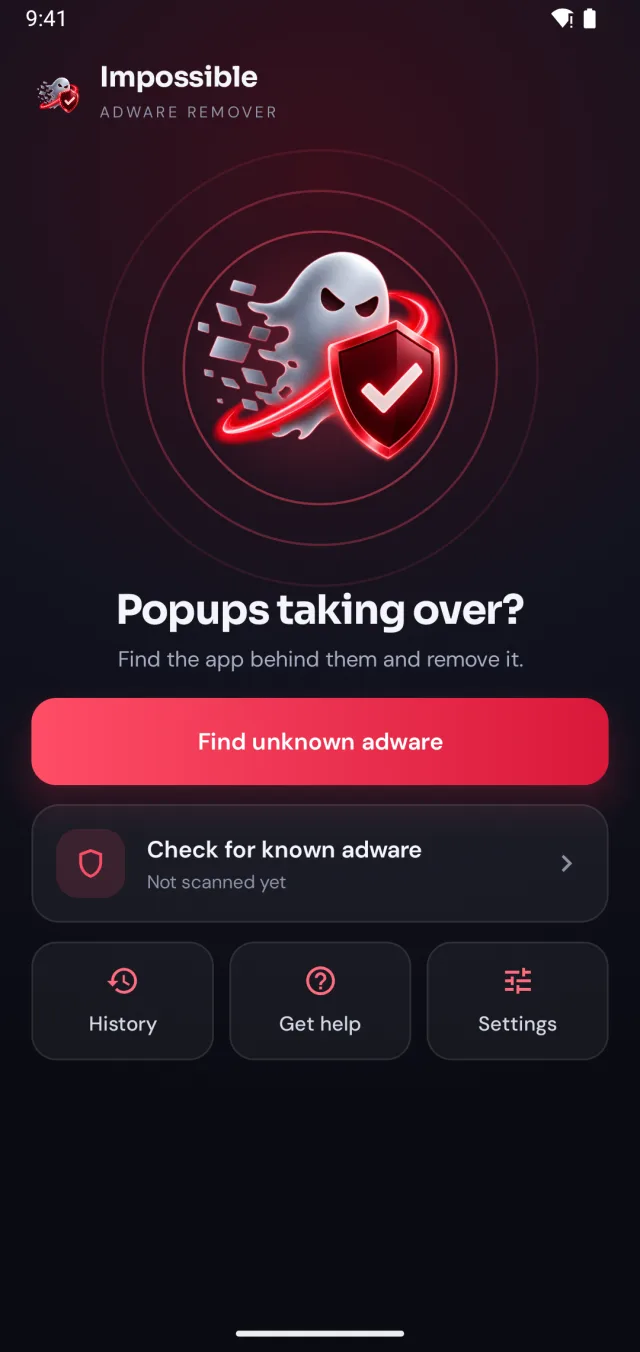
Impossible Adware Remover isn’t a blocker. It catches the app that opens full-screen pop-ups, pushes them back while you work, and helps you uninstall it.
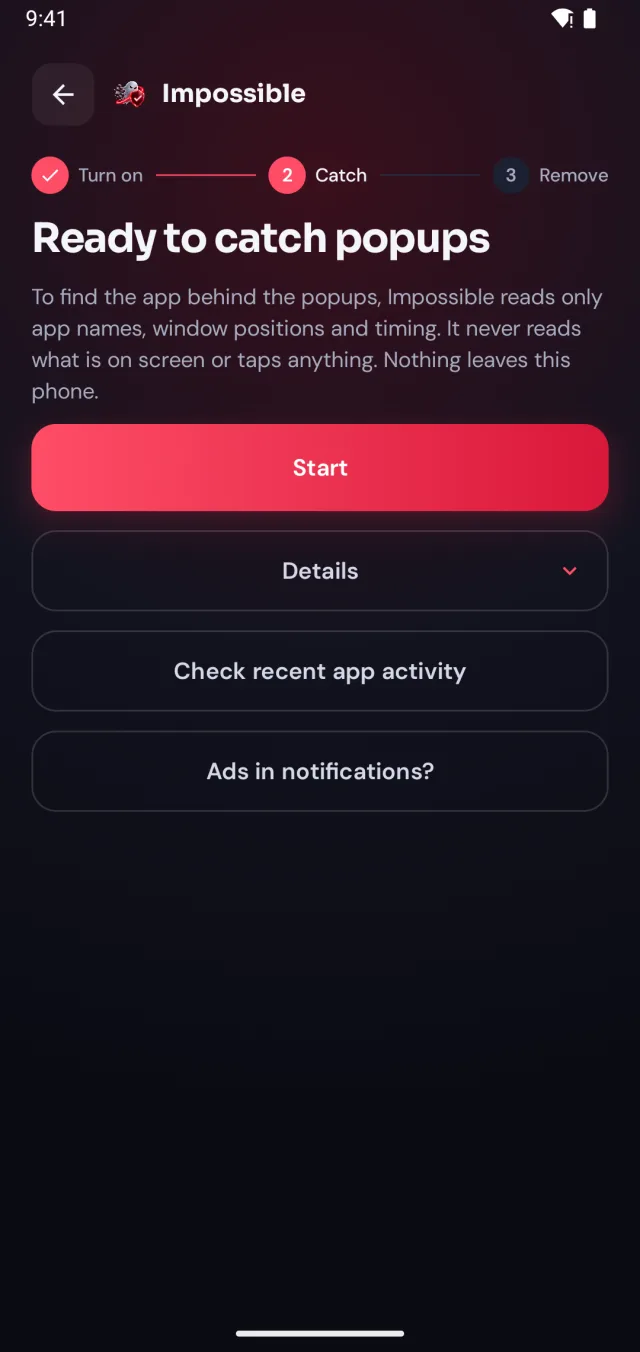
A few taps in Android’s settings, guided step by step. Impossible Adware Remover only sees which app is on screen and when, never what’s on it.
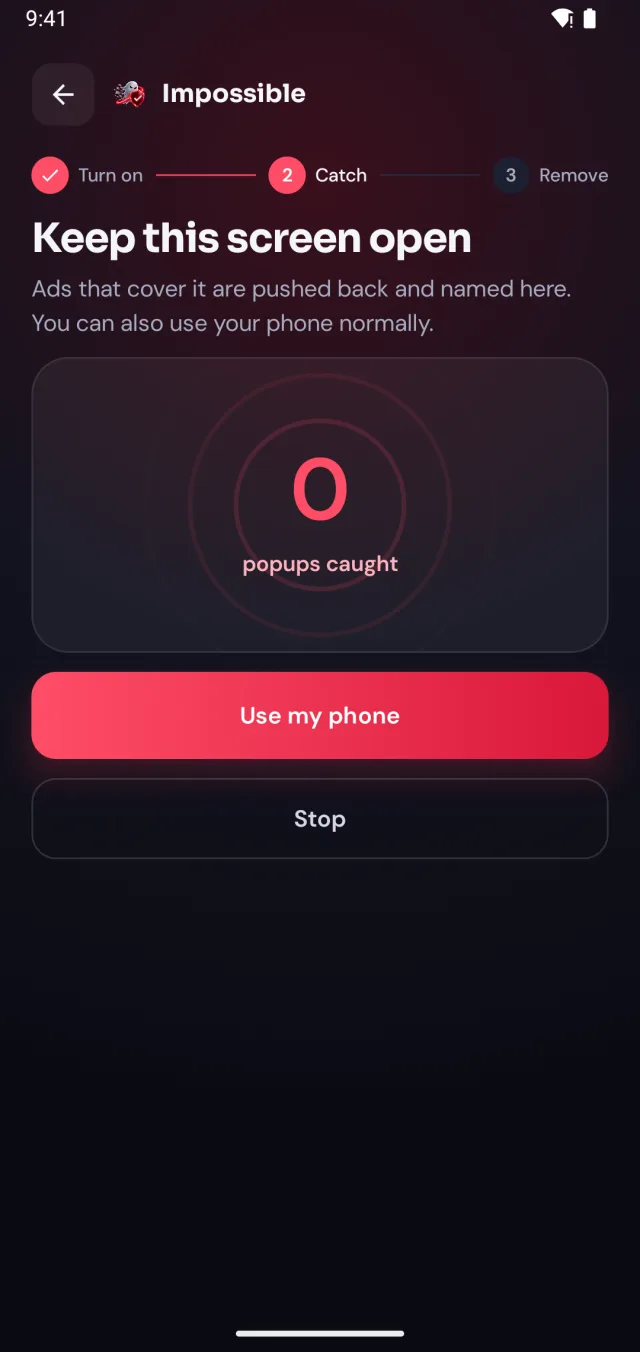
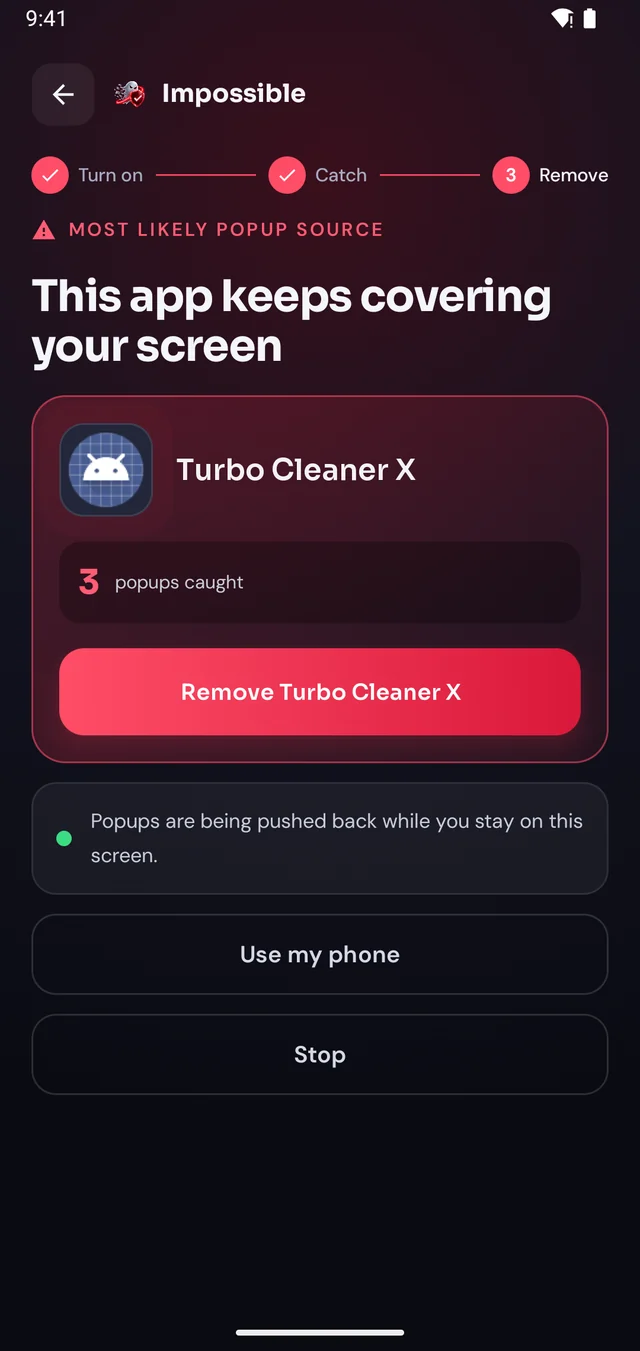
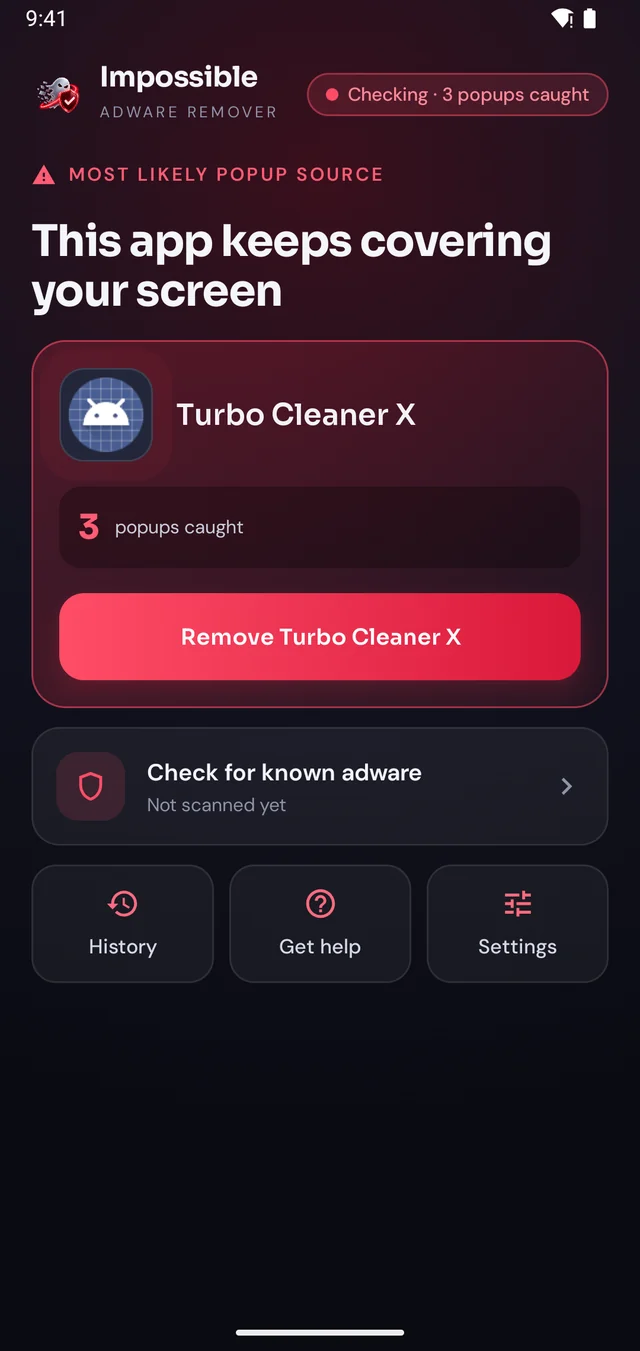
When the next pop-up lands, Impossible Adware Remover notes who sent it. After about two pop-ups it catches the app, even if it hides inside another app.
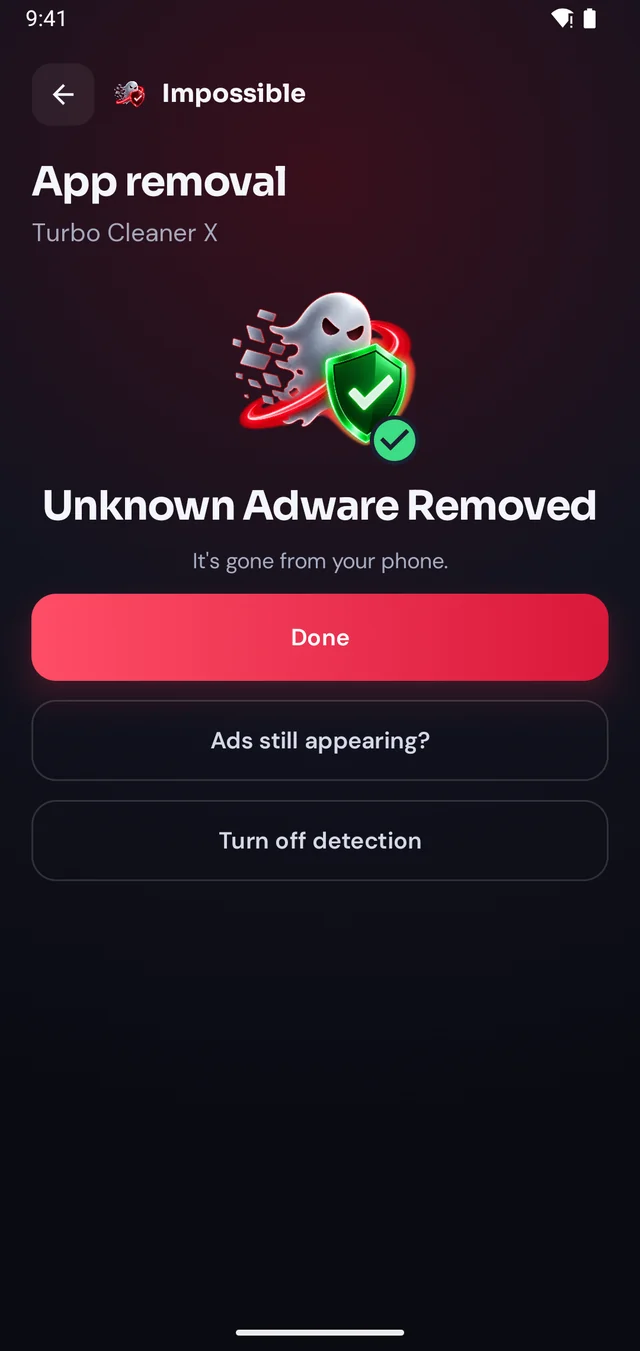
Finding it was free. Pay €4.99 once to see which app it is, then Android’s own uninstall dialog opens with a removal shield. Gone for good.
The pop-up shield
Stay on Impossible Adware Remover’s screen and every pop-up that tries to cover it is pushed back and counted. Finally, a calm screen where you can see what’s going on, find the app and remove it, without fighting your own phone.
FAQ
Yes, in the browser. Chrome blocks pop-ups and redirects by default: check Chrome → Settings → Site settings → Pop-ups and redirects. Samsung Internet has its own switch under Settings → Sites and downloads → Block pop-ups. Neither can stop full-screen ads that an installed app draws over your home screen.
For websites, the one already in your browser, plus a private DNS ad blocker for ads inside apps. For full-screen pop-ups outside the browser there is no blocker that works: an installed adware app is drawing them, and the fix is finding and uninstalling it. Impossible Adware Remover finds that app.
Chrome’s and Samsung Internet’s pop-up blockers are free and already on your phone. Private DNS (Settings → Network → Private DNS) is free too. Finding the app behind full-screen pop-ups with Impossible Adware Remover is also free; revealing and removing it costs €4.99 once.
Because they don’t come from a website. Pop-ups that cover the home screen, appear when you unlock or jump over other apps are opened by an installed app, and a browser’s blocker never sees them. Remove the app and they stop.
In Chrome, open Settings → Site settings → Pop-ups and redirects and allow them, or allow them for one site only from that site’s settings. Turn it back on when you’re done: it’s what stops pop-up pages while you browse.
No. It finds the app behind pop-ups that cover your whole screen and helps you uninstall it. While you stay on its screen those pop-ups are pushed back, so you can remove the app in peace. Once the app is gone, its pop-ups are gone for good.

Finding the app is free. You pay €4.99 once, only when Impossible Adware Remover has caught it. If the ads come back within 7 days, the next reveal is on us.
Get it onGoogle Play