It’s too new
Adware apps are repackaged and renamed all the time. A version published last week may not be in any database yet, Malwarebytes’ included.
 ImpossibleAdware remover
Get the app
ImpossibleAdware remover
Get the app
Scan clean, pop-ups still there
Malwarebytes is a good antivirus, so a clean scan feels final. But if full-screen ads still cover your home screen, the app behind them is one no scan recognises yet. You need to catch it in the act instead.
Free to find · €4.99 to reveal & remove · no subscription
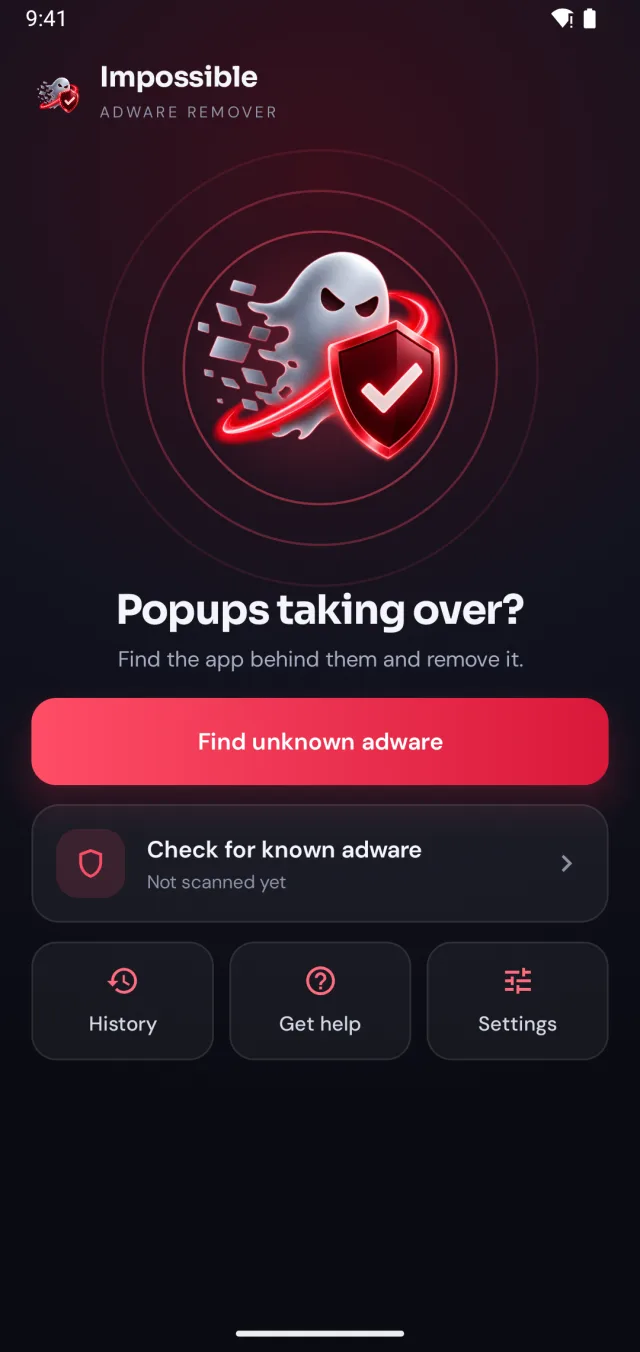
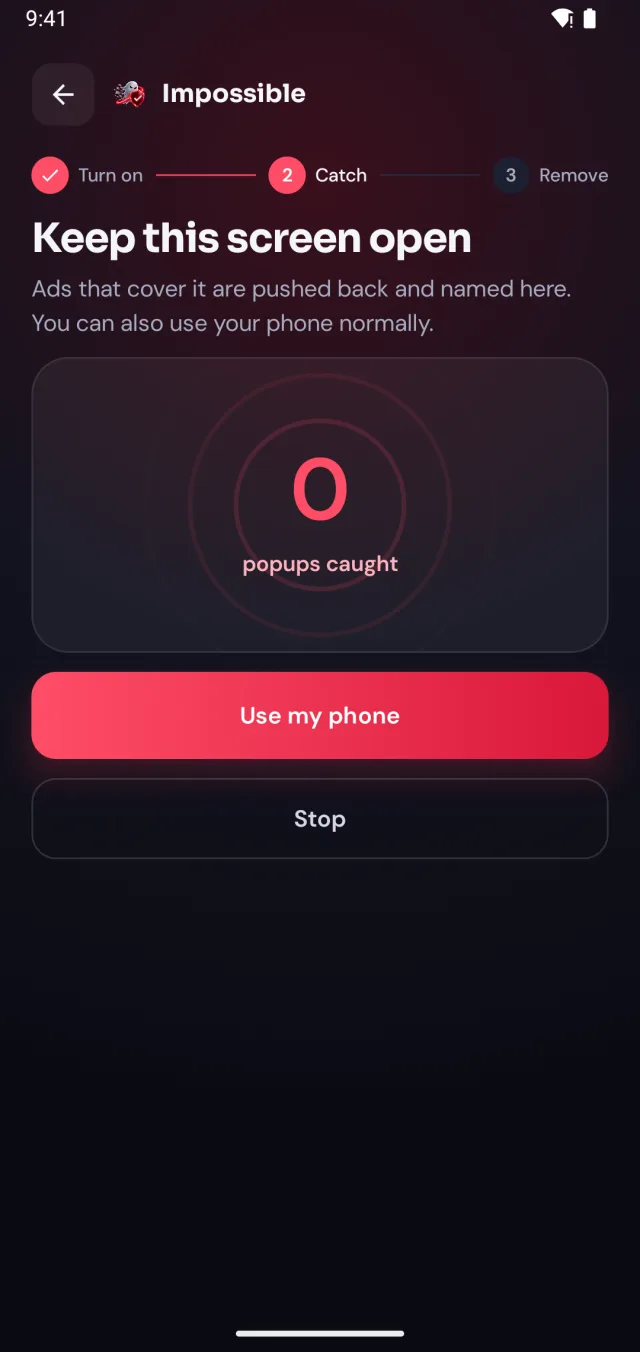
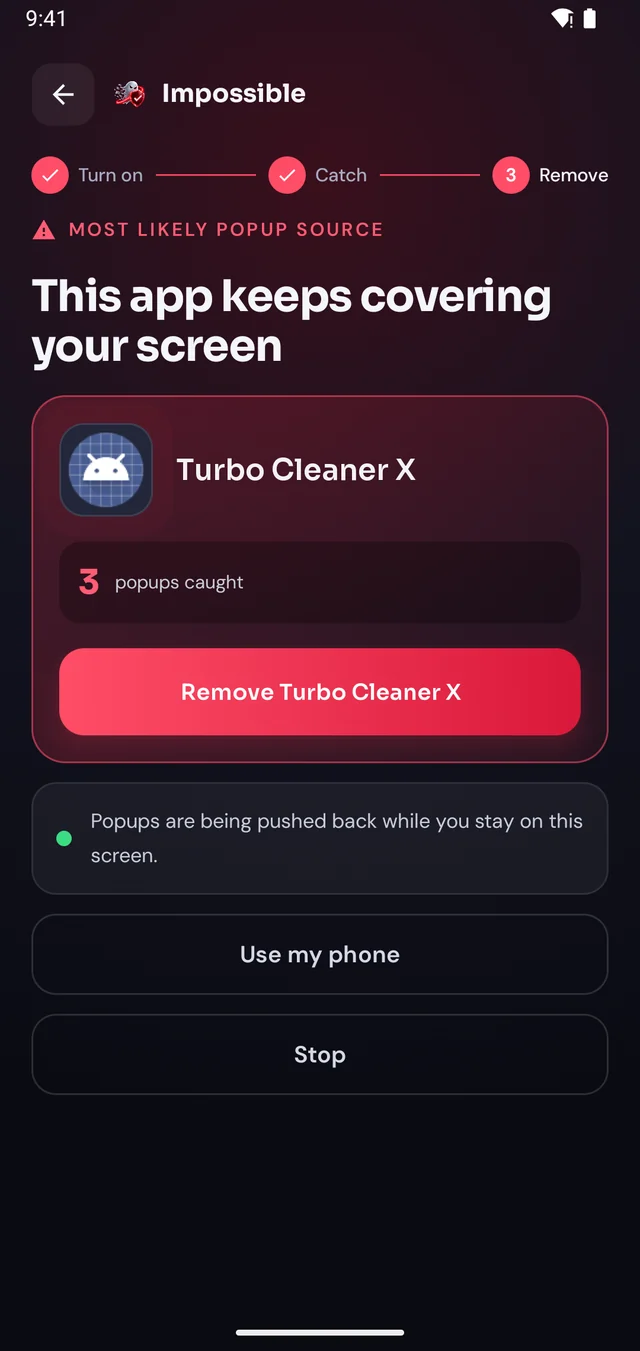
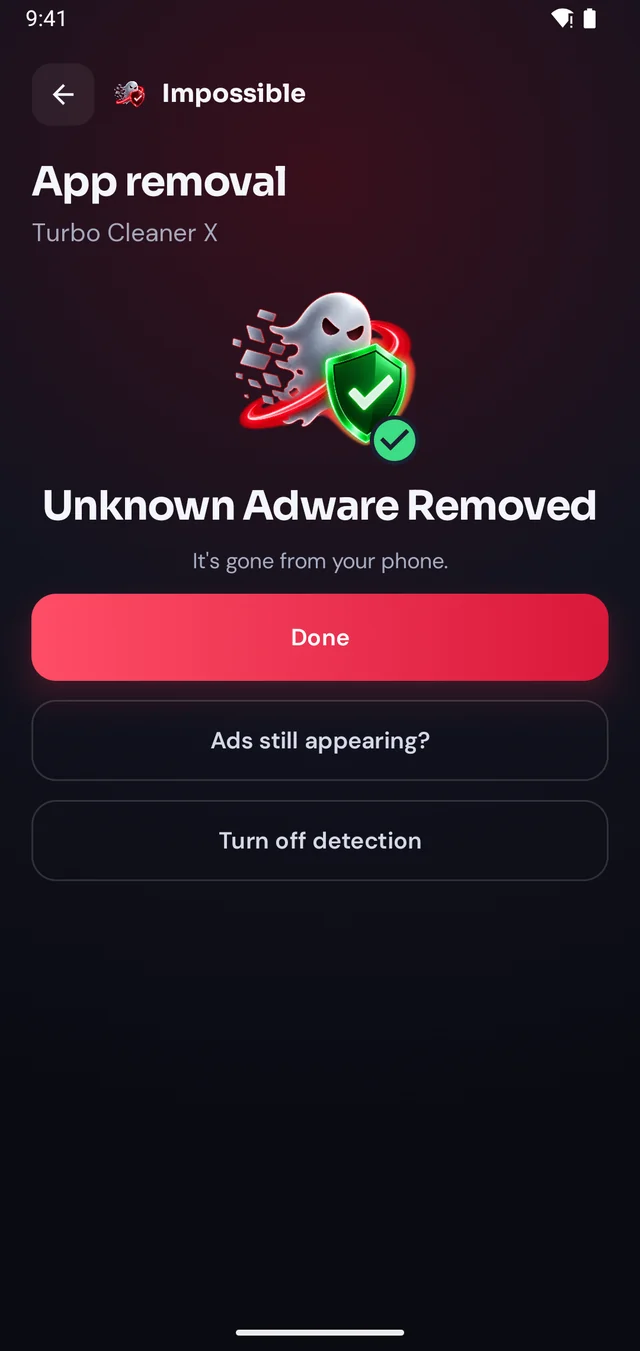
Short answer
Malwarebytes, like every antivirus, recognises threats it has seen before or that match known patterns. Adware that is new, renamed or hiding inside an app that still works can pass the scan while it keeps showing pop-ups. Keep Malwarebytes, and add a check that looks at which app draws each pop-up: Impossible Adware Remover catches it after about two pop-ups, then opens Android’s uninstall dialog.
Why a scan can miss it
Adware apps are repackaged and renamed all the time. A version published last week may not be in any database yet, Malwarebytes’ included.
A QR scanner that scans. A flashlight that lights. The ads ride along inside an app that looks completely normal, so nothing about it stands out.
Many adware apps stay quiet for days after you install them. By the time the pop-ups start, the culprit isn’t your most recent app, and uninstalling recent apps misses it.
Two kinds of check
Checks your apps against threats the security company already knows. Great for known malware, spyware and scam protection. Keep it installed and run it first: if it finds the adware, remove it and you’re done.
Doesn’t need to know the app. When a pop-up lands, it records which app drew it, and after about two pop-ups it names that app, even when it’s hidden inside another one. It also runs a free known adware scan with 568 signed definitions.
Before you factory reset
Malwarebytes is a trademark of Malwarebytes Inc. Impossible Adware Remover is an independent app and is not affiliated with Malwarebytes.
The second opinion
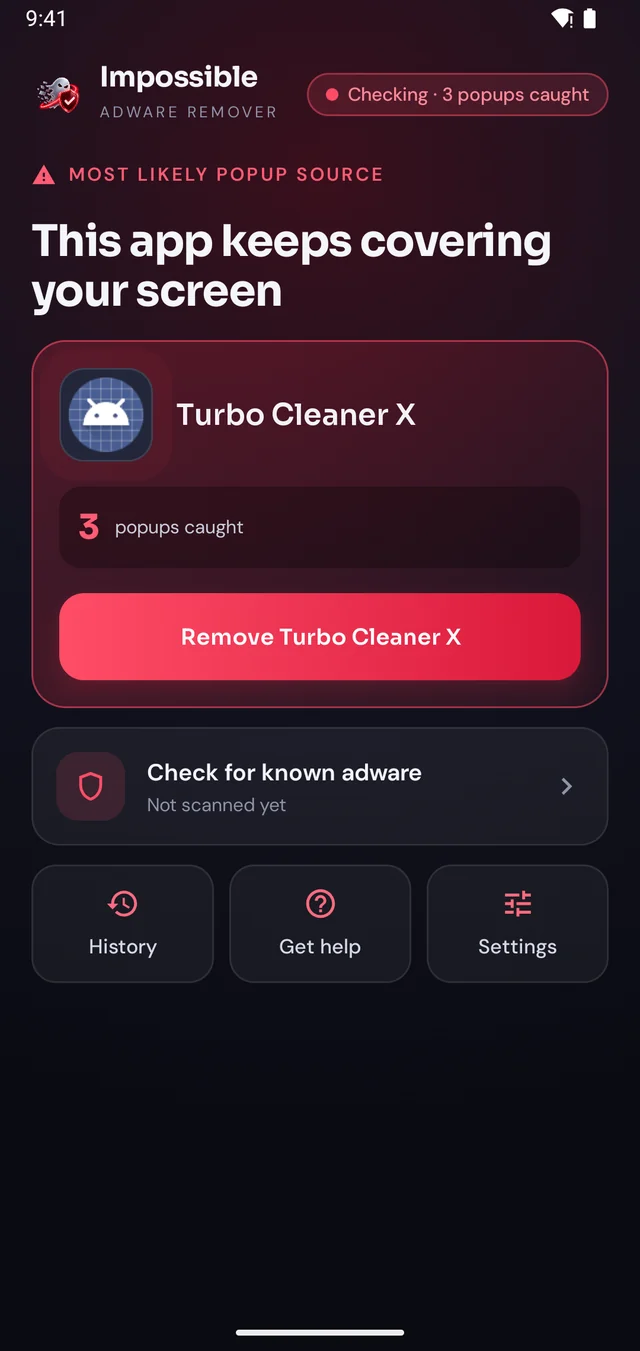
When a scan comes back clean but the ads keep coming, Impossible Adware Remover catches the app the moment it draws the next pop-up, then helps you remove it.
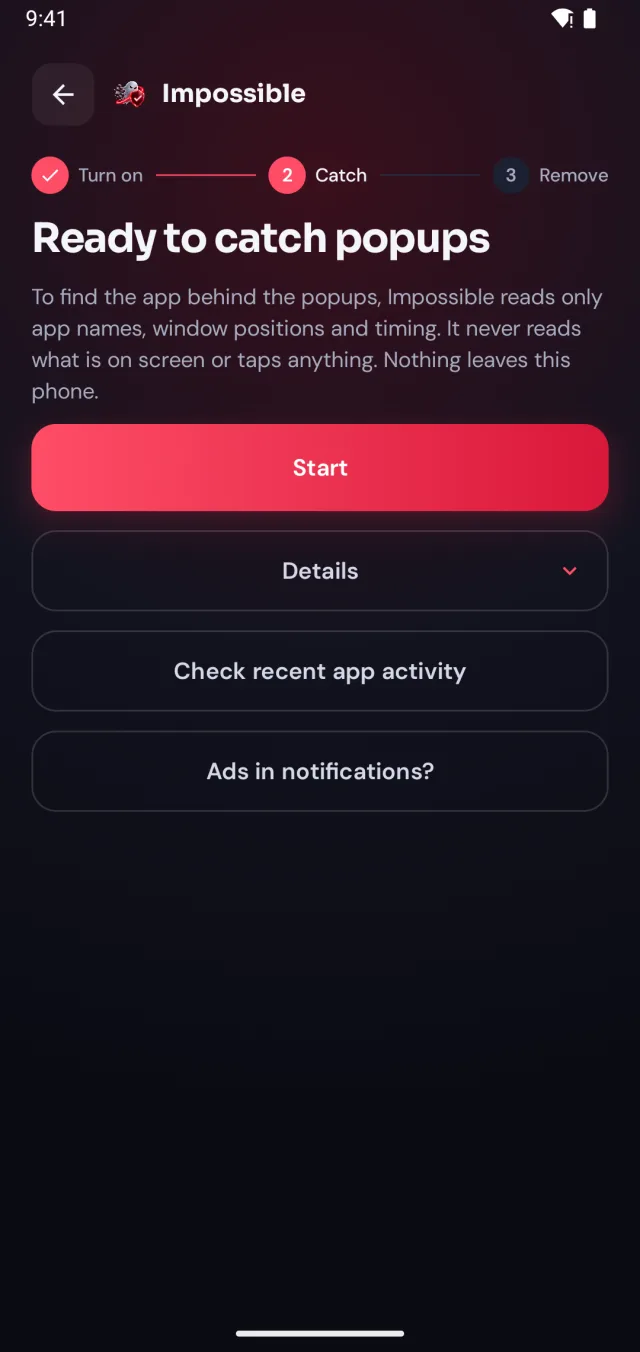
A few taps in Android’s settings, guided step by step. Impossible Adware Remover only sees which app is on screen and when, never what’s on it.
When the next pop-up lands, Impossible Adware Remover notes who sent it. After about two pop-ups it catches the app, even if it hides inside another app.
Finding it was free. Pay €4.99 once to see which app it is, then Android’s own uninstall dialog opens with a removal shield. Gone for good.
The pop-up shield
Stay on Impossible Adware Remover’s screen and every pop-up that tries to cover it is pushed back and counted. Finally, a calm screen where you can see what’s going on, find the app and remove it, without fighting your own phone.
FAQ
Antivirus apps recognise threats they have seen before or that match patterns they know. Adware that is brand new, renamed, or hiding inside an app that still works normally can pass a scan, and it often waits days before showing its first ad. The scan says clean while the pop-ups continue.
Yes. Malwarebytes is a well-known security app with millions of Android users, and it catches a lot of known malware and adware. Keep it. If its scan is clean but full-screen pop-ups continue, you need a different kind of check: one that looks at which app draws the pop-ups.
Yes. They do different jobs and don’t conflict. Malwarebytes scans for known threats; Impossible Adware Remover catches the app that is drawing pop-ups right now, even one no database knows yet.
It removes adware it detects, and the pop-ups from that app stop. Pop-ups from an app it doesn’t detect keep coming. Pop-ups in Chrome are a browser setting: Chrome → Settings → Site settings → Pop-ups and redirects.
No. It has one job: find the app behind pop-up ads and help you remove it. It also runs a free scan against 568 signed adware definitions. For general malware protection, keep an antivirus such as Malwarebytes or Google Play Protect.
Start in Safe Mode to confirm an app is the cause, check Settings → Apps → Special app access → Display over other apps, and remove anything unfamiliar from Device admin apps. Restoring a backup after a reset can bring the same app straight back, so find it first.

Finding the app is free. You pay €4.99 once, only when Impossible Adware Remover has caught it. If the ads come back within 7 days, the next reveal is on us.
Get it onGoogle Play