For Samsung Galaxy phones

How to stop pop-up ads on your Samsung phone.

Ads over the home screen, ads when you unlock, ads on top of WhatsApp. Samsung didn’t put them there. An app on your phone did, and it’s hiding. Impossible Adware Remover catches it and helps you remove it.

Free to find · €4.99 to reveal & remove · no subscription

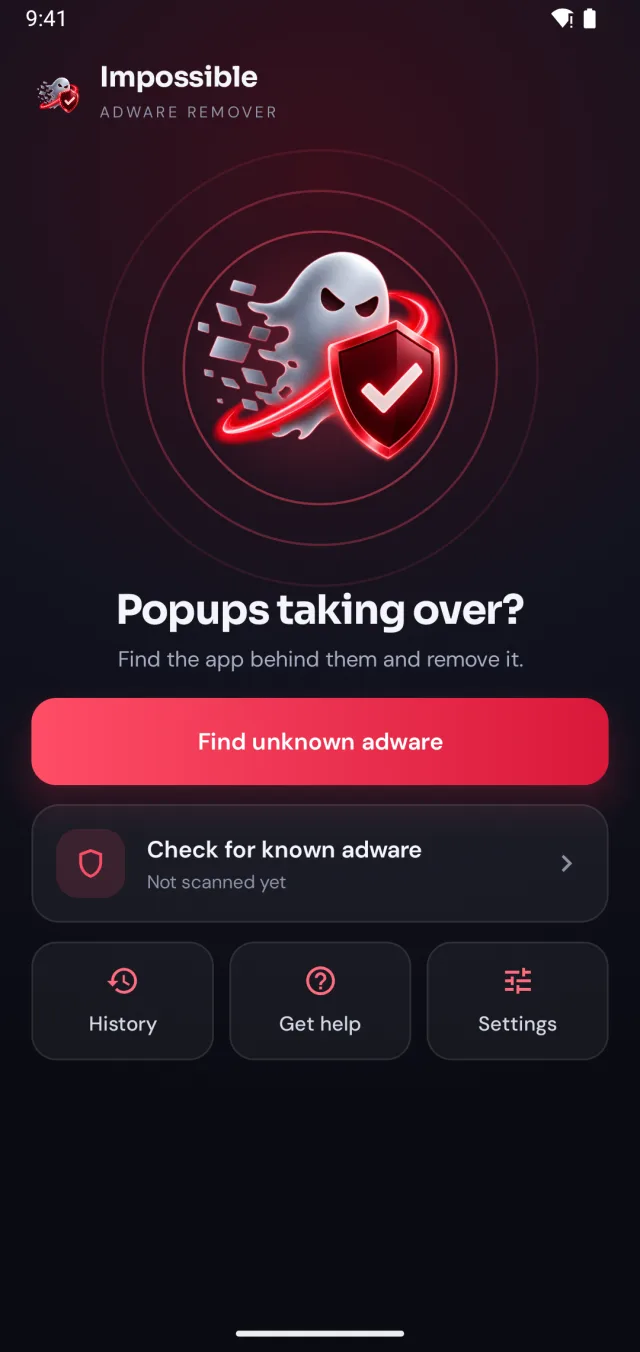
Impossible Adware Remover home screen: Popups taking over?
✓Pop-up pushed back
!App behind it: found
✓Adware removed

Short answer

Full-screen pop-up ads on a Samsung phone come from an installed app, usually adware hiding behind a normal-looking app. To stop them, find and uninstall that app: Impossible Adware Remover catches it after about two pop-ups. Lock screen ads (Glance) and ads inside Samsung Weather are switched off in Settings instead.

Which ads are you seeing?

Samsung ads vs adware.

Two very different things get called “Samsung pop-up ads”. One is a setting. The other is an app you need to remove.

A setting

Lock screen stories and Weather news

Swipeable stories on the lock screen come from Glance or another wallpaper service: Settings → Lock screen and AOD → Wallpaper services → None. Promoted content in Samsung Weather is switched off in the Weather app’s own settings. Galaxy Store marketing lives in Galaxy Store → Settings → Notifications.
An app

Full-screen ads over everything

Ads that cover the home screen, pop up when you unlock, or jump on top of other apps come from an installed app. It often has no icon, a harmless name, or sits inside a flashlight, cleaner or QR scanner. No Samsung setting turns these off. Removing the app does.

Why the usual tips fail

“Uninstall recent apps” rarely works.

It waits before it starts

Adware often stays quiet for days after you install it, so the app you installed “recently” isn’t the one showing ads.

It looks like a normal app

A QR scanner that works. A cleaner with a nice icon. Nothing in Settings → Apps says “I’m the one showing ads”.

The pop-ups get in the way

Every time you reach the app list, another full-screen ad lands on top. Impossible Adware Remover pushes them back while you work.

The fix

Catch the app in the act.

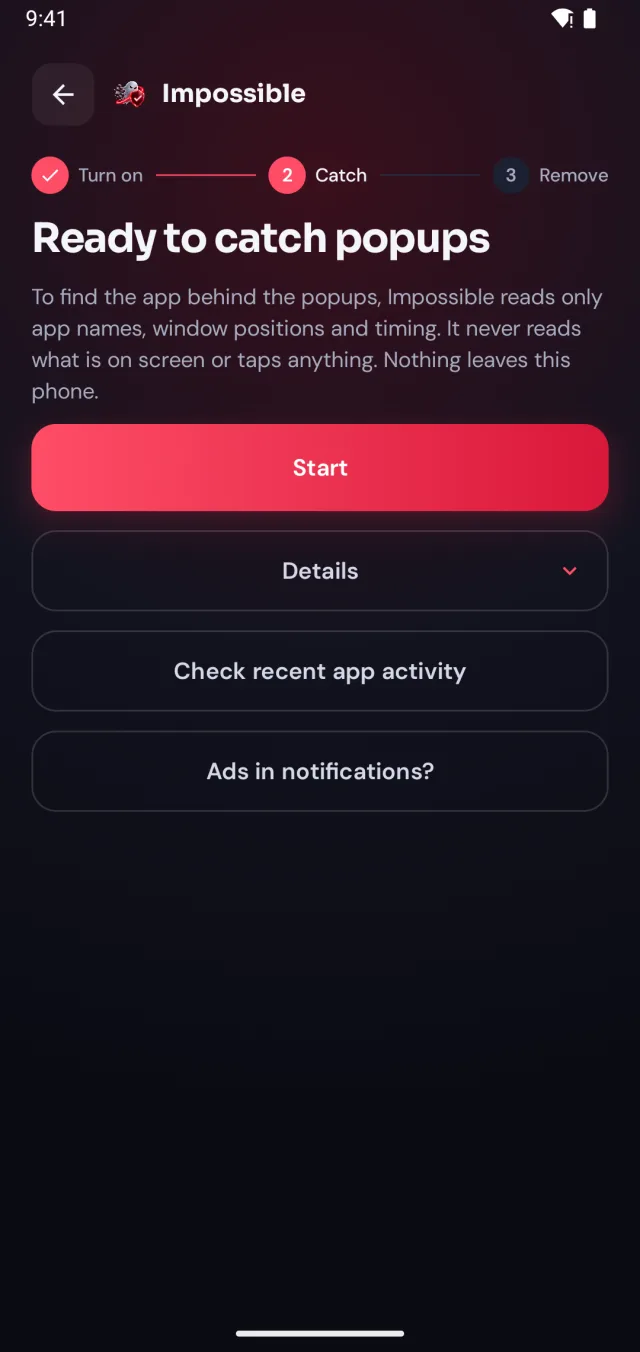
On a Galaxy phone it works the same as anywhere: turn on detection, keep using your phone, and Impossible Adware Remover catches the app the moment the next pop-up lands.

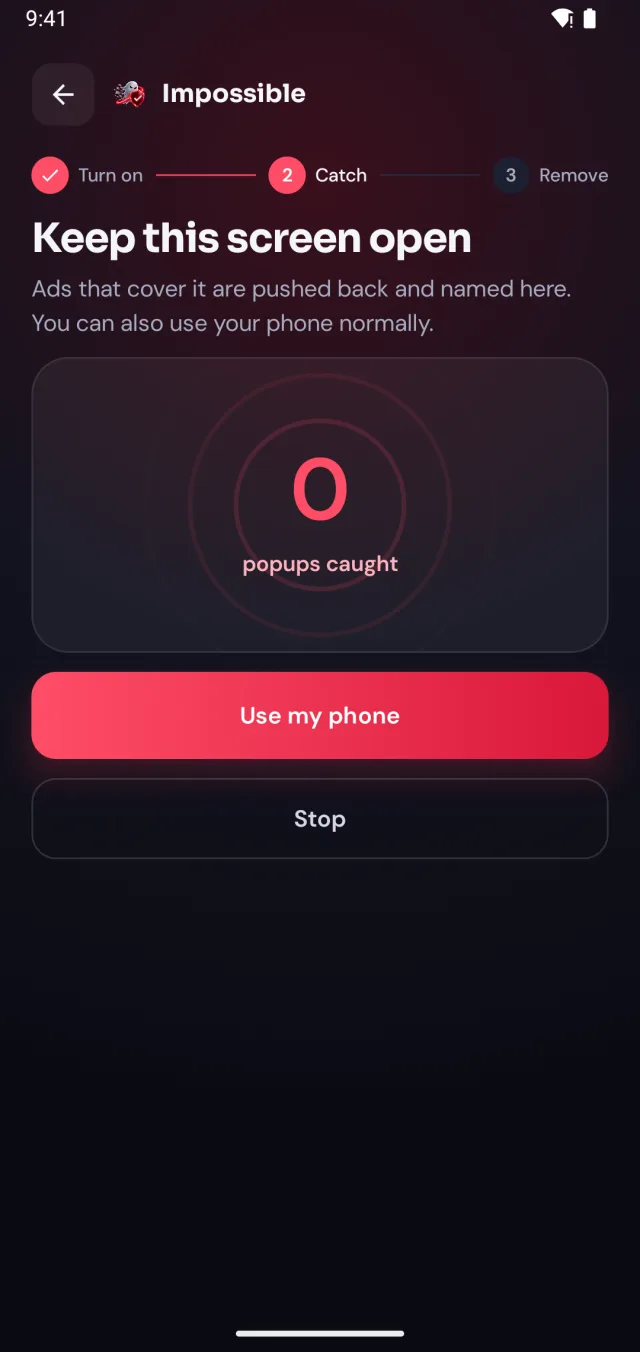
  1. Detection turned on, ready to catch pop-ups
    1

    Turn on detection, once

    A few taps in Android’s settings, guided step by step. Impossible Adware Remover only sees which app is on screen and when, never what’s on it.

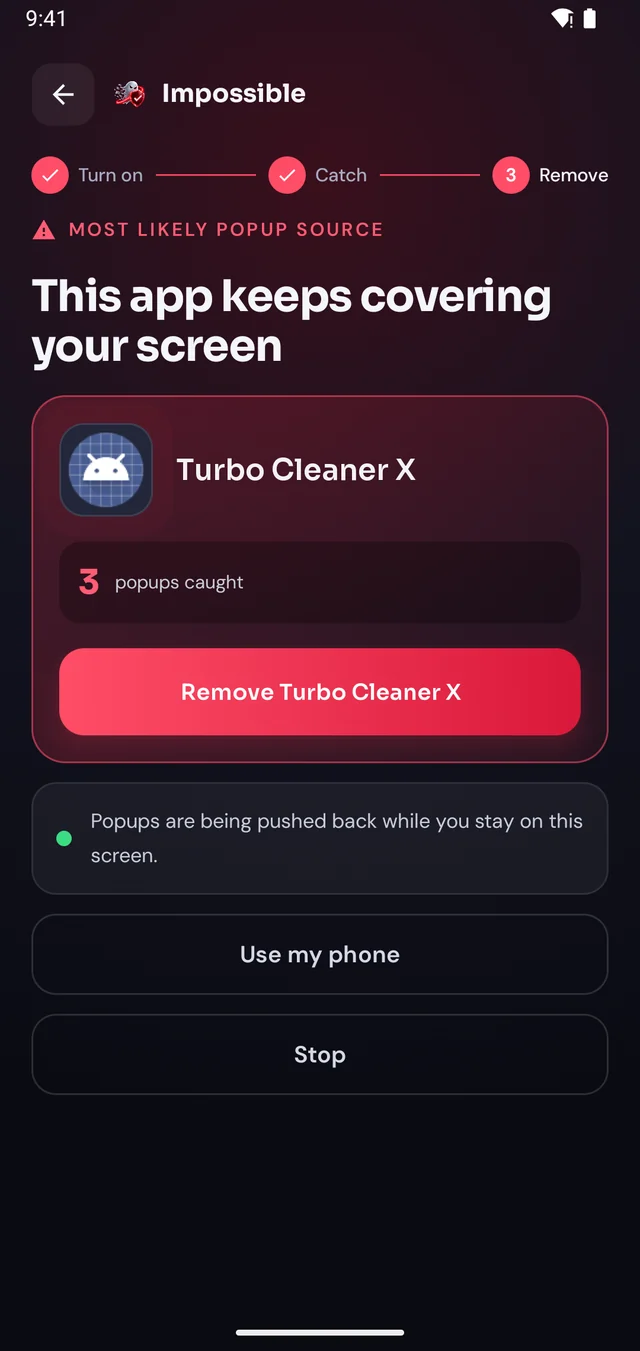
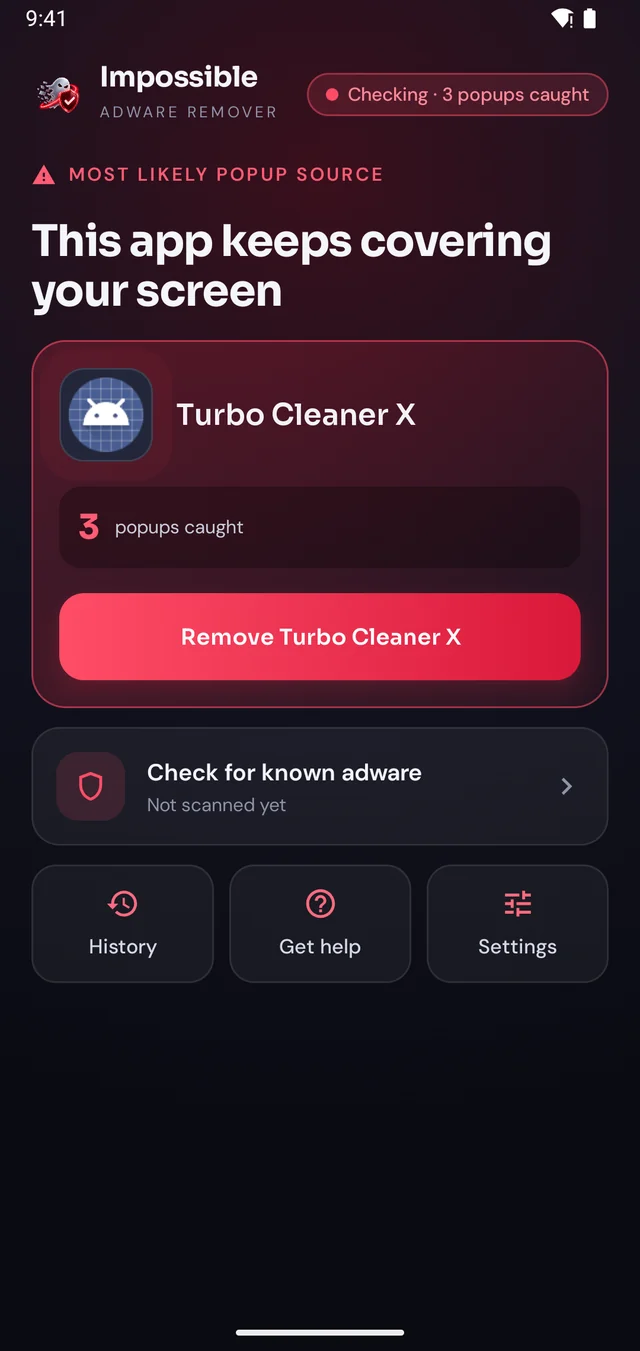
  2. The app behind the pop-ups is named
    2

    Keep using your phone

    When the next pop-up lands, Impossible Adware Remover notes who sent it. After about two pop-ups it catches the app, even if it hides inside another app.

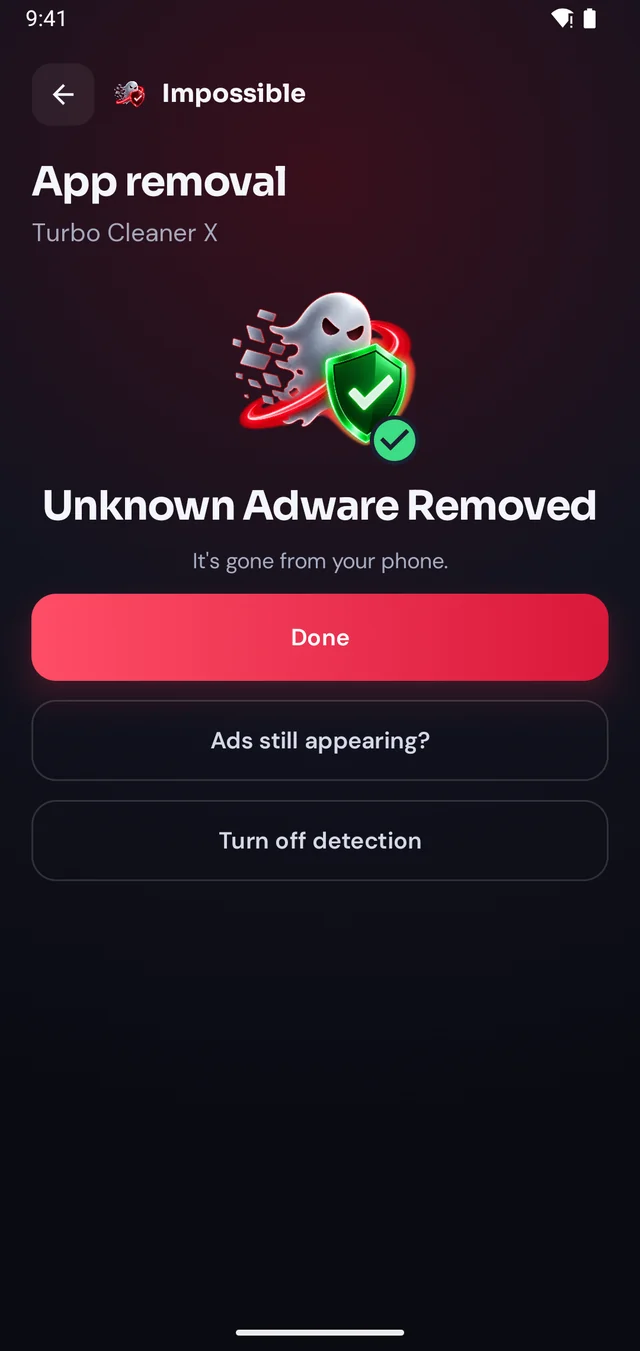
  3. Unknown adware removed
    3

    Reveal it, remove it

    Finding it was free. Pay €4.99 once to see which app it is, then Android’s own uninstall dialog opens with a removal shield. Gone for good.

The pop-up shield

Pop-ups get pushed back.

Stay on Impossible Adware Remover’s screen and every pop-up that tries to cover it is pushed back and counted. Finally, a calm screen where you can see what’s going on, find the app and remove it, without fighting your own phone.

  • Live counter of every pop-up caught
  • The source app named right there on screen
  • A removal shield while you uninstall it
Keep this screen open: 3 pop-ups pushed back and counted
Home screen while a pop-up app is caught

FAQ

Questions, answered.

How do I stop pop-up ads on my Samsung phone?

If the ads cover your whole screen, even on the home screen or over other apps, they come from an installed app, not from Samsung. Impossible Adware Remover catches that app after about two pop-ups and helps you uninstall it. Ads inside Samsung’s own apps or on the lock screen are switched off in settings instead (see above).

How do I get rid of ads on my Samsung lock screen?

Open Settings → Lock screen and AOD → Wallpaper services and choose None. That turns off Glance and other lock screen content feeds on Galaxy phones that have them. If ads still appear over the lock screen afterwards, an app is drawing them, and Impossible Adware Remover will name it.

Why does my Samsung Weather app show ads?

Samsung Weather can show news and promoted content next to the forecast in some regions. Open the Weather app, tap the menu, then Settings, and turn off the content or news options your version offers. Ads that pop up over the screen are a different thing: that’s an installed app.

Does Samsung Device care find adware?

Device care’s scan looks for known malware. Adware that hides inside a normal-looking app, like a QR scanner or a cleaner, often passes a scan that checks names. Impossible Adware Remover catches the app by what it does: putting pop-ups over your screen.

Does Impossible Adware Remover work on every Galaxy phone?

It works on Android phones from any brand, including Samsung Galaxy S, A, M, Z and Tab devices, because it watches Android itself. The setup screen walks you through the one Samsung-specific setting.

Catch the app behind the pop-ups.
Remove it for good.

Finding the app is free. You pay €4.99 once, only when Impossible Adware Remover has caught it. If the ads come back within 7 days, the next reveal is on us.

Get it onGoogle Play